
Laptops are super important for jobs, learning, and staying in touch. Yet, more online time means more risks. Viruses can trash files, grab private info, slow down your computer, and expose data. So, knowing how to protect yourself isn’t optional anymore; it’s a must.
What Are Viruses and Malware?
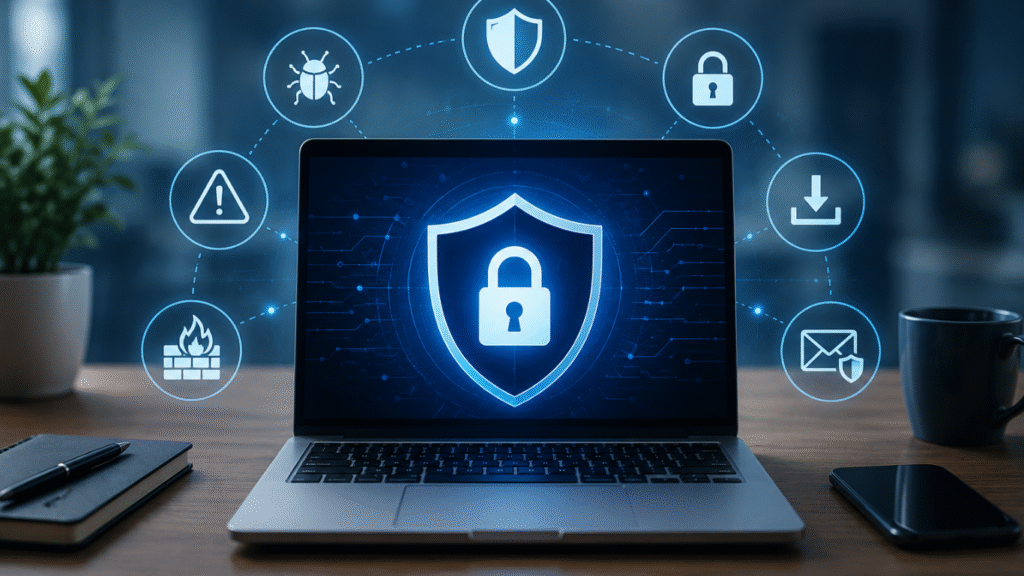
Malware covers all the evil software made to invade your system. A virus is a particular kind; it jumps from file to file, program to program. You’ll commonly face these hazards, so stay alert.
There are different kinds of malware:
Viruses
They copy around your system and mess with files, leading to big glitches.
Ransomware
This is super risky; it locks you out of files or the whole system until you pay up.
Spyware
Sneaks in without you knowing and watches what you do online, gathering private info like passwords and bank details.
Trojans
Trojans are sneaky—malicious programs that come dressed up as legit software. People end up installing them without realizing it when they download apps or files.
Worms
These are self-replicating malwares that spread across networks without needing any help from users.
Knowing about these threats is super important for keeping your laptop safe from cyber attacks.
Keep Your Operating System Updated
To stay secure, always keep your operating system updated. Those updates are packed with crucial security fixes for newly found weaknesses. Ignoring them can make your laptop a target for all sorts of malware and hacking.
So, enable auto-updates and install those security patches pronto. Don’t forget to update device drivers too, and restart your laptop after major updates.
This way, you boost your system’s defenses and lessen the risk of getting hit by bad stuff.
Install Reliable Antivirus Software
A reliable antivirus program really helps protect your laptop from viruses and malware. These days, antivirus software gives you ongoing protection and catches threats before they do any harm.
The benefits are pretty clear:
real-time monitoring
First off, real-time monitoring keeps an eye on all your files and actions, catching threats right away.
malware sneaks
Secondly, it finds and zaps harmful stuff that could mess up your computer.
safe browsing protection
stops you from visiting dodgy sites or falling for phishing tricks.
Regular scans make sure your laptop stays clean and secure.
Be Careful When Downloading Files
Be super careful when downloading files. A lot of malware sneaks in through unsafe downloads—be it software, media, or random documents. So, where and what you download matters a great deal.
To stay safe:
- Get your apps from official sites only.
- Steer clear of pirate or cracked software.
- Always scan what you’ve just downloaded.
- Double-check who made the software you want to install.
- Read up and check reviews for new apps too.
Being careful about what you download goes a long way in keeping your laptop malware-free.
Avoiding Suspicious Emails and Links
Phishing attacks keep being one of the top ways that cybercrooks spread malware and grab personal details. Telltale signs are unexpected attachments, requests for passwords or info, weird links, or messages trying to rush you into action. These scams also often have bad grammar or spelling flubs.
Stay safe by checking who the email is actually from before you open anything or click any links. If something seems off, reach out to the supposed sender using a legit contact method.
Building Strong Passwords
Secure passwords are key to stopping unwanted access to accounts and gadgets. Here’s how to beef up your password game:
Make ’em long and complicated – at least 12 characters mixing letters, digits, and symbols. Turn on multi-factor authentication too; it asks for a second OK which adds another wall against intruders. Lastly, use a password manager to craft and safeguard tough passwords.
With solid password habits, you seriously cut the chances of hackers sneaking into your stuff online.
Enable Your Firewall
A firewall monitors and controls incoming and outgoing network traffic, blocking stuff that looks fishy before it hits your system.
Keeping your firewall on helps in several ways: it stops unauthorized access, filters out harmful traffic, and boosts overall security. It also reduces your exposure to cyber threats. Most current operating systems come with a built-in firewall which should be on all the time.
Keep Your Web Browser Secure
Your web browser is your main entrance to the internet, so it’s crucial to keep it secure.
To stay safe online, use trustworthy and updated browsers, install those pesky updates ASAP, and avoid sketchy sites. Remove unused browser extensions and clear browsing data regularly to keep everything neat and secure. Doing these simple tasks can help lower the chances of encountering online risks and keep your personal info protected.
Back Up Important Data Regularly
Regular backups of important data are super important too, since even with all the best security measures, total protection isn’t always possible. Yet backing stuff up frequently keeps those crucial files safe in case malware hits. With options like external hard drives, cloud storage, or automatic backup software, it’s easy to have duplicates in different places, which adds extra safety.
Keeping this routine up could very well save you if a cyber attack happens, so it’s definitely worth it.
Watch for Signs of Malware Infection
Be alert for signs that your system might be infected. Early detection is key to stopping damage and getting back to normal quicker. Look out for your computer running slow, crashing a lot, or popping up random ads. Odd online behavior from the system or programs launching by themselves can be red flags too. Missing or corrupted files hint at bigger issues under the hood. When you notice these things, don’t delay – fire up that antivirus for a thorough scan and figure out what’s happening.
Protect Business Laptops from Cyber Threats
Businesses need to safeguard important info since cybercrooks target it all the time. So extra security steps are crucial for keeping company data secure and the business running smooth.
To stay protected,
- firms should do things like train employees on cybersecurity
- use top-tier endpoint protection
- set up secure Wi-Fi
- encrypt data
- conduct regular security checks
- auto-backup systems in place.
When it comes to tackling nasty malware, sometimes pros are necessary because some viruses won’t budge even after you scan for them. Experts can sniff out those hidden threats, zorch the viruses safely, rescue infected files, fortify the system’s defenses, and even get the device performing well again.
Hence, pro virus removal not only offers peace of mind but guarantees that pesky infections get wiped out for good.
Why Professional Virus Removal Services Matter
Professional virus removal is super important. Some malware is next to impossible to completely get rid of on your own. It can hide real well and mess up your device for days.
Experts step in when you need them most. They find sneaky threats that regular scans miss. Plus, they safely delete viruses and even help fix damaged files. On top of that, pros make your whole system more secure. This stops future headaches too.
In the end, pro services give you the calmness of knowing your computer is good as new – no lingering infection risks.
Conclusion
Guarding your laptop against viruses and malware is super important these days. Updating your OS, using solid antivirus software, being careful online, setting strong passwords, and backing up stuff are great ways to stay safe and dodge many risks.
When your laptop acts funny or seems sick, tackle it right away. Getting help from pros can get things secure again and stop bigger issues.
FAQ
What’s the difference between a virus and malware?
Well, a virus is a type of malware that spreads when you open infected files or programs. But malware covers a broader range of bad software, including viruses, ransomware, spyware, and more.
Should you scan your laptop weekly for viruses?
Yes, doing a full system check at least once a week is a good idea. Also, keep your real-time protection on all the time for continuous safeguarding.
Can antivirus programs zap all types of malware?
Quality antivirus software usually catches and removes most malware infections. Sometimes, though, super sneaky malware might need professional help to remove it completely.
Do free antivirus programs work?
They’ll protect you from common threats just fine, which is great. Paid versions, however, have extra perks like better real-time monitoring, ransomware protection, and safer web-browsing features.
Your computer got hit with an infection—now what?
First off, disconnect it from the internet to prevent further harm. Run a deep antivirus scan, backup any crucial files, and contact a pro if the nasty stuff won’t budge or if your info is critical.

