Author name: lapcarecomputers

Protect Your Laptop from Data Loss
Blog

How to Protect Your Laptop from Data Loss: A Complete Guide

Losing all your photos business files or college projects because your laptop crashes is a bad thing that can happen to anyone who owns a laptop. And it happens a lot. You can lose all your files because of a big problem with your laptop or because you spill coffee on it or because of a bad virus or just because you make a mistake. This kind of thing can happen without any warning. So it is very important to learn how to Protect Your Laptop from Data Loss . At Lapcare Computers we see people coming in with laptops that will not turn on or the hard drive is broken or the screen is completely black.. They cannot get to their important files. The good thing is that most of the time losing files can be stopped from happening. In this guide Lapcare Computers will show you some steps to Protect Your Laptop from Data Loss . We will also answer the questions that our customers ask us the most, about protecting laptops from data loss. Why Laptop Data Loss Happens Often To Protect Your Laptop from Data Loss  you need to know what makes it happen in the first place. There are a main reasons for this. The common reasons for laptop data loss include: Knowing about these risks is the step to taking better care of your laptop and protecting it from data loss before something bad happens. 1. Back Up Your Laptop Data Regularly This is the single most effective way to protect your laptop from data loss. . No security measure is perfect so having a backup means your files are safe even if something goes wrong. 2. Install Good Antivirus and Anti-Malware Software Viruses and ransomware are threats to your laptop data. A good antivirus program can. Stop bad software before it hurts your data.Keep your antivirus updated run scans regularly and do not download software or attachments from sources. This one habit can help a lot to protect your laptop from data loss caused by cyberattacks. 3. Keep Your Laptop Operating System and Software Updated Old software often has security problems that hackers can use. Regular updates fix these problems. Make your system more stable which reduces the risk of crashes that could ruin your files. Turn on updates, for your laptop operating system, browser and antivirus software so you are never caught off guard. 4. Use a Good Power Backup You do not want the power to go out when you are working on your laptop or desktop. This can hurt your drive and ruin your files. If you use a desktop or your power is not stable you should get a UPS. For laptops keep the battery charged. Do not use it if the battery is old. 5. Be Careful with Your Laptop You have to be careful with your laptop so it does not get broken. 6. Check Your Hard Drive New hard drives and SSDs will usually tell you when they are going to fail. They might make noises work slowly or freeze up. You can use tools like CrystalDiskInfo to check your drive. If you see any problems you can back up your files. Get help before it is too late. 7. Use a Surge Protector and Keep Your Laptop Cool Power surges can hurt your laptop. Use a surge protector to keep it safe. It is also important to keep your laptop cool. Dust and blocked vents can make it overheat. Clean your laptop. Make sure it has good air flow.Regular cleaning and proper ventilation help protect your laptop from data loss caused by heat-related hardware failure.  8. Set Up User Accounts and Use Strong Passwords If you share your laptop with people use separate accounts. This will help keep your files safe. Use passwords to keep people from getting into your laptop and hurting your files. 9. Know When to Get Help Sometimes your laptop will break and you will need help. If it will not turn on makes noises or you cannot get to your files stop using it. Keep using it can make things worse. The people at Lapcare Computers can help you fix your laptop and get your files back. Final Thoughts Losing files can happen to anyone. But if you back up your files use antivirus software and are careful with your laptop you can stay safe. If your laptop is having problems do not wait. Get help from the people, at Lapcare Computers. They can fix your laptop. Get your files back. Frequently Asked Questions What is the best way to protect your laptop from data loss?  The best way is to back up your files. Use the 3-2-1 rule: three copies of your files on two kinds of storage with one copy in the cloud. Also use antivirus software and be careful with your laptop. How often should I back up my files? If you use your laptop every day back up your files every week. If you have files for work back them up every day. Can I get my files back if my hard drive breaks? Yes, sometimes. If you get help soon you might be able to get your files back.. If you keep using your laptop when it is broken it can be harder to get your files back. Can a bad laptop battery make me lose files? Yes it can. If your battery is bad you have to use the power cord. If the power goes out you can lose files. Hurt your hard drive. Is cloud storage enough to protect your laptop from data loss?  No it is not enough. You should also back up your files on a hard drive. This way if one way of storing your files fails you have another way to get them back.
Data Recovery from Dead Laptop
Laptop Repair, Laptop Repair Services

Can Data Be Recovered from a Dead Laptop?

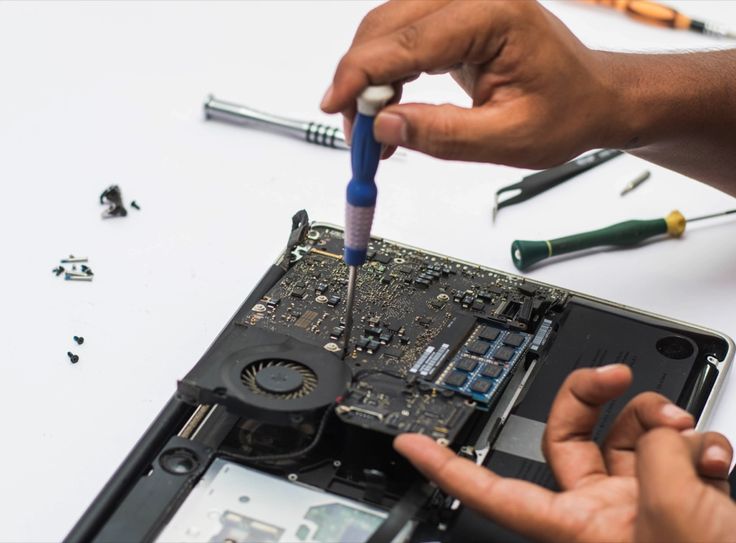
A laptop that suddenly stops working can cause immediate stress, especially when it contains valuable personal files, business documents, photos, videos, or important project data. Many people assume that once a laptop is dead, everything stored on it is lost forever. Fortunately, that is not always the case. In many situations, data can still be recovered from a dead laptop, depending on what caused the failure and the condition of the storage device. Whether your laptop refuses to power on, has suffered physical damage, or experienced hardware failure, professional data recovery techniques can often retrieve your important files. Understanding how laptop failures affect stored data can help you make informed decisions and improve the chances of a successful recovery. What Does a Dead Laptop Mean? A dead laptop simply means the device is no longer functioning properly. It may not power on, may get stuck during startup, or may display a completely black screen. While the laptop itself may be unusable, the internal storage drive often remains intact. In many cases, the problem lies with components such as the motherboard, battery, charging circuit, RAM, display, or power supply rather than the hard drive or SSD where your data is stored. This is why professional technicians can frequently recover files even when the laptop appears completely dead. Common Reasons a Laptop Stops Working Several issues can cause a laptop to become non-functional. Hardware failures are among the most common reasons. A faulty motherboard, damaged power circuit, failed battery, or defective RAM can prevent the system from starting. Software corruption is another possibility. Operating system errors, failed updates, malware infections, or corrupted system files may stop the laptop from booting while leaving the stored data untouched. Physical damage caused by accidental drops, liquid spills, overheating, or electrical surges can also make a laptop unusable. Depending on the severity of the damage, the storage device may still be recoverable. Can Data Still Be Recovered? In most cases, yes. The possibility of recovery depends largely on the health of the storage device rather than the laptop itself. If the hard drive or SSD remains functional, technicians can usually remove it from the laptop and connect it to specialized recovery systems. Even when the storage device has minor damage, advanced recovery software and hardware tools may still retrieve most or all of the data. Professional data recovery specialists use advanced diagnostic equipment to determine the condition of the drive before attempting recovery. Recovering Data from a Laptop with Motherboard Failure Motherboard failure is one of the most common causes of a dead laptop. Fortunately, the motherboard stores very little personal data. Most user files remain safely stored on the hard drive or SSD. If the storage device is unaffected, technicians can remove it from the failed laptop and access the data using another compatible system or specialized recovery equipment. This often results in a high recovery success rate. Data Recovery from a Failed Hard Drive When the hard drive itself has failed, recovery becomes more complex but is still possible in many situations. Mechanical hard drives contain moving parts that can wear out over time. Problems such as damaged read/write heads, spindle motor failure, or scratched platters require specialized clean-room environments and precision tools. Professional recovery experts can repair or temporarily stabilize damaged drives to retrieve valuable files before the drive fails completely. Can Data Be Recovered from a Failed SSD? Solid State Drives (SSDs) differ significantly from traditional hard drives because they have no moving parts. Although SSDs are generally more reliable, they can still fail due to controller damage, firmware corruption, electrical issues, or worn-out memory cells. Recovering data from SSDs often requires specialized equipment and advanced technical expertise. While SSD recovery can be more challenging, many successful recoveries are possible depending on the type of failure. Recovering Data After Water Damage Liquid spills can damage multiple internal components, including the motherboard, keyboard, and storage device. The extent of damage depends on the type of liquid, how much entered the laptop, and whether power remained connected. If the storage drive survives the exposure, technicians can often recover the stored files. Immediate professional attention greatly increases the chances of successful recovery. It is important not to turn on a water-damaged laptop, as doing so can cause short circuits that permanently damage internal components. Data Recovery After Physical Damage Dropping a laptop can damage the casing, motherboard, display, or storage device. Even if the laptop appears completely broken, the data may still remain intact. Professional recovery specialists inspect both the storage media and internal electronics before determining the best recovery method. Advanced tools allow them to retrieve files from many physically damaged devices. Recovering Data from a Laptop That Won’t Boot Sometimes a laptop powers on but gets stuck on the manufacturer logo or displays boot errors. This usually indicates operating system corruption rather than complete hardware failure. In these cases, technicians may access the drive externally, repair file system errors, or create a complete disk image before recovering the data. Boot problems rarely mean that personal files are permanently lost. Professional Data Recovery Process Professional recovery begins with a thorough diagnosis to identify the exact cause of failure. Technicians evaluate whether the issue involves hardware, software, or the storage device itself. If the storage drive is healthy, it is connected to specialized recovery systems where files are safely copied to another storage device. If physical damage exists, advanced repair techniques may be used before attempting recovery. Once recovery is complete, the retrieved files are verified for integrity before being transferred to a new storage device for the customer. What You Should Avoid When a laptop stops working, many users unintentionally reduce their chances of successful recovery by attempting repeated repairs or using unreliable recovery software. Avoid repeatedly powering on the laptop if it makes unusual clicking or grinding noises. Do not open the hard drive yourself, as exposure to dust can permanently damage the internal components. Refrain from reinstalling the operating system or

Common Laptop Keyboard Problems
Blog

Common Laptop Keyboard Problems and Their Solutions

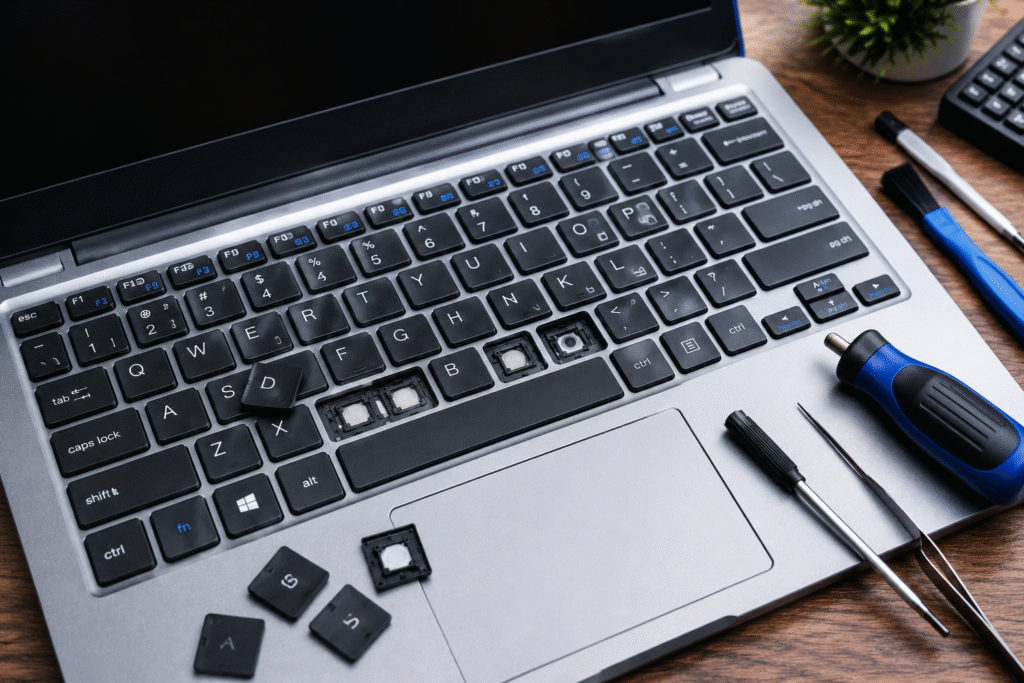
The laptop keyboard is one of the most commonly used devices of a computer. No matter whether you are a student note-taking or a professional working from home or even a businessman controlling his business through a computer, malfunctioning of your laptop keyboard will surely disturb your work routine. Here we discuss all those common problems that may occur in your laptop keyboard, their causes, and solutions to them. If these common solutions fail, then laptop keyboard repair in Dubai should be opted for. Why Do Laptop Keyboard Problems Occur? Laptop keyboards are exposed to constant use, dust, accidental spills, and general wear over time. Software conflicts, outdated drivers, and hardware failures can also affect keyboard performance. Understanding the root cause is the first step toward finding the right solution. 1. Laptop Keyboard Not Working If the entire keyboard suddenly stops responding, the problem may be software-related rather than a faulty keyboard. Possible causes: Solutions: If none of these steps work, professional diagnostics may be necessary. 2. Sticky Keys Sticky keys are often caused by dust, food particles, or liquid spills. Solutions: If keys remain stuck after cleaning, replacing individual keys or the keyboard assembly may be the best option. 3. Some Keys Are Not Responding Sometimes only specific keys stop working while the rest of the keyboard functions normally. Common causes include: Before replacing the keyboard, test the affected keys using an online keyboard diagnostic tool or your operating system’s built-in keyboard settings. 4. Function Keys Not Working Function keys control brightness, volume, Wi-Fi, and other shortcuts. If they stop working: Many function key issues are software-related and can be resolved without replacing the keyboard. 5. Keyboard Backlight Not Working Backlit keyboards improve visibility in low-light environments. If the lighting stops working: If the LEDs have failed or the keyboard has suffered water damage, replacement may be required. 6. Keyboard Types Random Characters If pressing one key produces different letters or symbols, possible causes include: First, verify the keyboard layout in Windows Settings. If the issue continues, reinstall the keyboard driver and perform a malware scan. When Should You Replace the Keyboard? A replacement is usually recommended when: Using genuine replacement parts helps ensure compatibility and long-term reliability. Preventing Laptop Keyboard Problems Preventive maintenance can significantly extend the life of your keyboard. Simple habits include: These small steps reduce the risk of both physical damage and premature wear. When to Seek Professional Laptop Keyboard Repair Troubleshooting on your own helps fix some problems with software, but hardware-related problems need special equipment and knowledge. In cases where the keyboard has been exposed to liquids, more than one key stops working or when the problem is with the motherboard, the best thing would be to have the problem repaired by experts. Lapcare Computers has experts who can diagnose problems with the keyboard, replace the keyboard with compatible new keyboards, and help repair hardware-related problems in all types of laptops. The company also specializes in repairing motherboards, replacing screens, battery, and other services. Conclusion The common laptop keyboard problems that users encounter could include both software-related and hardware-related defects. Early intervention can help ensure that minor issues don’t develop into major problems. Troubleshooting might help fix driver issues or setting issues. If they persist, an expert technician would be required. A problem with the laptop keyboard, whether unresponsive keys, sticky keys, or a need for replacement, would necessitate seeking help from a reliable laptop repair professional in Dubai.

SSD Upgrade vs RAM Upgrade
Blog

SSD Upgrade vs RAM Upgrade: Which Improves Performance More?

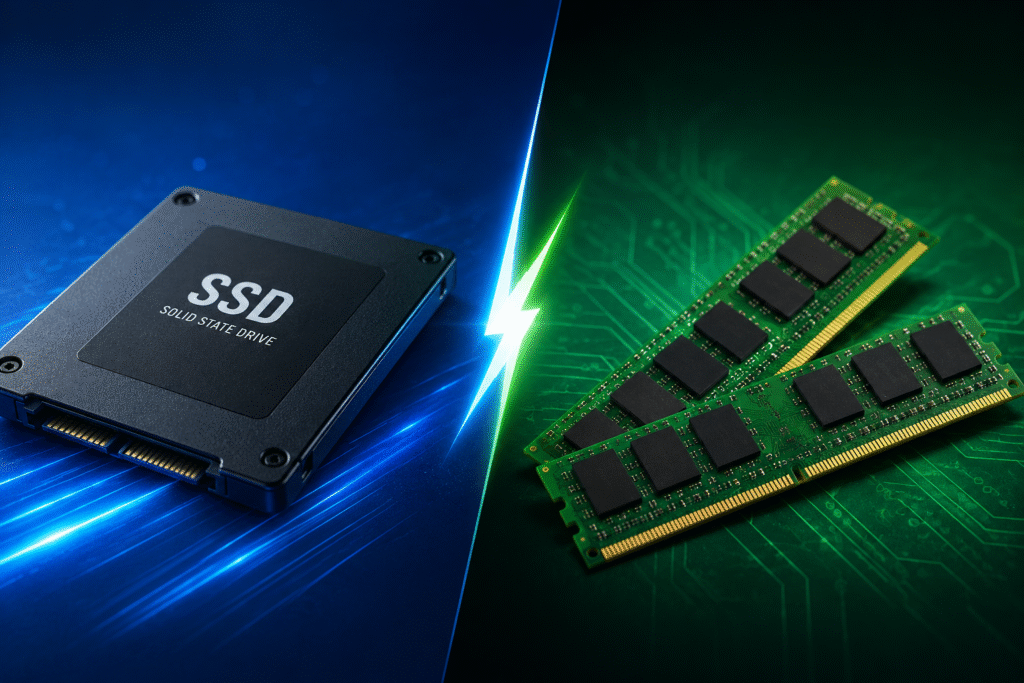
If your desktop or laptop has become very slow, you’re probably wondering if you should add additional RAM or upgrade the SSD. Both improvements enhance performance, but the ideal choice depends on how you use your computer and the hardware you already have. We at Lapcare Computers assist clients in selecting the most economical system update. Our highly trained technicians make sure your device performs at its peak, whether you require a laptop SSD upgrade, RAM installation, or a full speed boost. What is the purpose of an SSD upgrade? High-speed flash storage takes the place of your conventional hard drive (HDD) with a solid-state drive (SSD). SSDs are significantly faster, quieter, and more dependable than HDDs because they don’t contain any moving parts. Upgrading to an SSD frequently results in the most visible performance increase if your computer is still using an HDD. The majority of users report significantly quicker starting times and more seamless daily computing. What Does a RAM Upgrade Do? The data your computer requires to run programs is temporarily stored in RAM (Random Access Memory). When RAM is insufficient, your system becomes slow while multitasking because it constantly swaps data to storage. Here’s why customers trust us: Our technicians recommend only the upgrades your system genuinely needs, ensuring you receive the best value for your investment. SSD vs RAM: Which Should You Upgrade First?  Upgrading to an SSD should be your top priority if your computer still uses a conventional Hard Disk Drive (HDD). An SSD greatly reduces file transfer times, speeds up application launches, improves boot times, and makes your system feel much more responsive. Similarly, an SSD upgrade will provide the greatest obvious increase in daily performance if your biggest annoyance is slow startup or lengthy loading times. For most older laptops and desktops, this is the single most effective update you can make. However, boosting the RAM is frequently a preferable option if your computer currently has an SSD but just 4GB of RAM. More RAM makes it possible for your computer to manage numerous apps, browser tabs, and demanding software more effectively, which improves multitasking and boosts productivity. Combining an SSD update with more RAM provides the ideal blend of speed, responsiveness, and dependability for optimal performance, enabling your computer to function like a much more modern system. Can You Upgrade Both? Of course. The optimum overall experience is obtained by combining an SSD with more RAM. You’ll like: Many consumers discover that upgrading both parts increases the computer’s lifespan by a number of years. Why Choose Lapcare Computers? At Lapcare Computers, we specialize in professional computer repairs designed to maximize performance without unnecessary costs. Here’s why clients have faith in us: Our technicians recommend only the upgrades your system genuinely needs, ensuring you receive the best value for your investment. Conclusion Upgrading to an SSD is nearly always the best initial expenditure if you’re utilizing a conventional hard drive. Adding more RAM will provide your machine with a noticeable increase if it already has an SSD but has trouble multitasking. Combining the two results in the fastest, smoothest computing experience for the maximum performance boost. Lapcare Computers offers dependable SSD and RAM upgrade services that help your system function like new, whether you want to speed up an aging laptop or increase the efficiency of your desktop. For a professional evaluation and the best upgrade option suited to your requirements, get in touch with our professionals right now. Frequently Asked Questions Is SSD better than RAM for improving speed? An SSD update typically results in the greatest visible speed increase if your PC still has an HDD. RAM mostly improves multitasking. How much RAM do I need? For everyday use, 8GB is sufficient. Professionals, gamers, and content creators often benefit from 16GB or more. Will an SSD upgrade cause me to lose my files? Not when done in a professional manner. In order to protect your files and operating system, Lapcare Computers performs safe data movement wherever feasible.

Why Laptop Motherboards Fail and Can They Be Repaired?
Blog

Why Laptop Motherboards Fail and Can They Be Repaired?

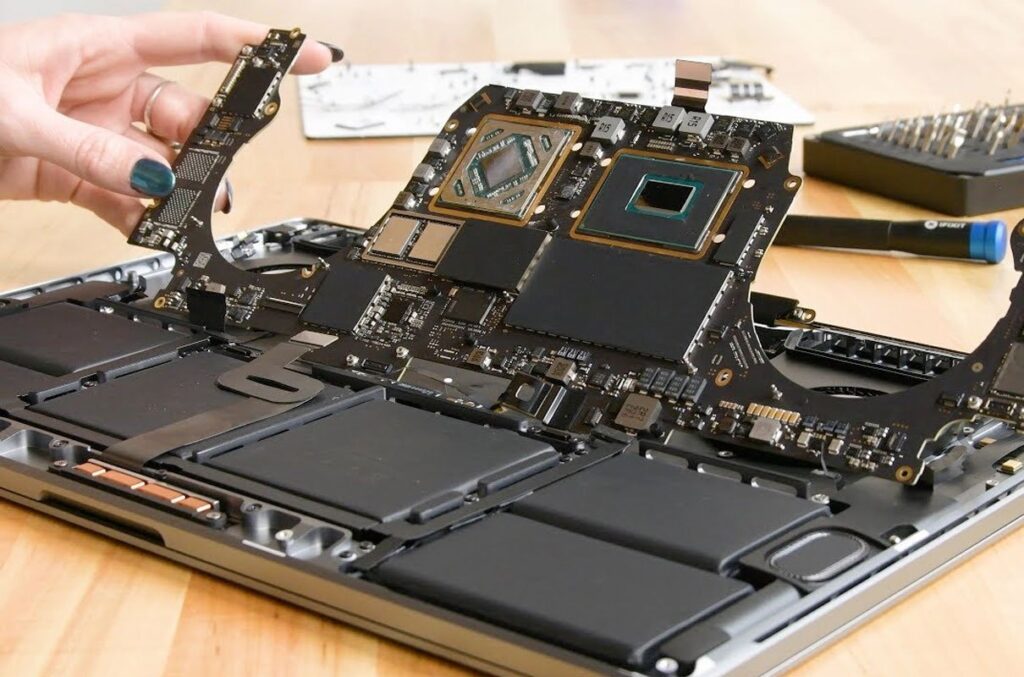
The laptop motherboard is the main circuit board that interconnects and manages all the essential components like the processor, memory, storage device, and charging. If the motherboard fails, your laptop will either be unusable or behave strangely. In case you are looking for Motherboard Repair Dubai, learning about the reasons behind motherboard failures will enable you to make sound judgments before buying a new laptop. However, in most instances, having a faulty motherboard does not necessarily imply that the computer cannot be repaired. Through modern methods of motherboard repair in laptops, a large number of computers can be brought back to life without losing any of their data. What Is a Laptop Motherboard? A laptop motherboard is the main printed circuit board (PCB) that allows all hardware components to communicate and function together. It connects essential components including: If any critical section of the motherboard fails, the laptop may refuse to boot or operate normally. What Causes Laptop Motherboard Failure? Motherboard issues rarely happen without a reason. Most failures develop gradually due to electrical, environmental, or hardware-related problems. 1. Overheating Heat is a major factor contributing to laptop motherboard damage. Inadequate dusting, obstruction of cooling vents, or defective fans can cause heat buildup inside the laptop, resulting in damage to the electronic circuitry. Signs include: Regular internal cleaning helps reduce this risk. 2. Liquid Damage Accidental spillage from water or even coffee or other liquids causes short circuits that can harm the integrated circuits, power rail and the connectors. Even though the laptop functions normally even after the spillage, corrosion will eventually start damaging the motherboard in the coming weeks or months. Inspection by professionals is key to avoid further damage. 3. Power Surges and Charging Problems Using incompatible chargers or faulty power adapters may damage charging ICs and voltage regulation components. Electrical fluctuations can affect: Using original or manufacturer-approved chargers helps protect the motherboard. 4. Physical Damage Dropping a laptop or placing excessive pressure on it can crack solder joints, damage connectors, or break internal circuit traces. Symptoms may appear immediately or develop gradually as damaged connections become unstable. 5. Aging Components Like any electronic device, laptop motherboards experience wear over time. After years of daily use, components such as capacitors, voltage regulators, and integrated circuits can fail naturally, especially in laptops that operate continuously. What Are the Signs of Motherboard Failure? Several symptoms may indicate motherboard problems rather than software issues. Common signs of motherboard failure include: These symptoms should be diagnosed by experienced technicians before replacing expensive components. Can a Laptop Motherboard Be Repaired? Yes, many motherboard issues can be repaired depending on the extent of the damage. Professional laptop motherboard repair Dubai services often perform: Repair is often possible when only specific electronic components have failed. However, if the motherboard has suffered extensive physical damage or multiple layers of the PCB are affected, replacement may be the more practical option. Motherboard Repair vs Replacement Repair Replacement Lower cost in many cases Higher overall expense Preserves original hardware May require sourcing compatible parts Faster for minor faults Better for severe damage Environmentally friendly Suitable when repair isn’t feasible An experienced technician can recommend the most cost-effective solution after a full diagnosis. How Professionals Diagnose Motherboard Problems A reliable motherboard repair service Dubai follows a systematic diagnostic process rather than replacing parts by trial and error. Typical steps include: Professional diagnostic tools help identify the exact failed component, reducing unnecessary repairs. Can You Prevent Motherboard Failure? While no electronic device lasts forever, good maintenance significantly extends motherboard life. Best practices include: These simple habits reduce stress on internal components and improve long-term reliability. When Should You Seek Professional Repair? In case you experience difficulties such as a laptop that will not turn on, a computer that crashes repeatedly, and overheating of a computer, among others that are related to hardware problems, avoid repairing the motherboard of your laptop yourself. The reason is that modern motherboards have very sensitive components that only experts can handle. In addition, the technician will diagnose the problem and advise on the best solution to take and ensure safety of your data. Conclusion Motherboard failure may appear to spell doom for your laptop; however, this is not necessarily true as many problems resulting from overheating, power problem, hardware damage or liquid spillage may be fixed through effective repairs involving chip-level repair skills. In your quest to find Motherboard Repair Dubai, it will be wise to get your laptop professionally checked before concluding that it requires replacement. In most cases, early repair will enhance the performance of the computer and will also prolong its lifespan, sparing you the expense of buying a new laptop. If your laptop seems to be experiencing some hardware problems, then you should think about getting it professionally checked to establish an appropriate repair method. Frequently Asked Questions 1. Can every laptop motherboard be repaired? Not every motherboard can be repaired. Minor electrical faults, damaged charging circuits, BIOS issues, and failed components are often repairable. However, severe physical damage or extensive PCB layer damage may require a complete motherboard replacement after professional assessment. 2. How do I know if my motherboard is damaged? Common indicators include a laptop that won’t power on, random shutdowns, no display, charging failures, overheating, and unresponsive USB ports. A professional diagnostic test is the most reliable way to confirm motherboard failure. 3. Is motherboard repair cheaper than replacing the motherboard? In many cases, yes. Repairing individual components is usually more cost-effective than replacing the entire motherboard. The final cost depends on the extent of the damage and the availability of replacement parts. 4. Can data be recovered if the motherboard fails? Yes. If the storage drive is undamaged, your files can often be recovered even when the motherboard has failed. A technician can assess the storage device separately and advise on recovery options. 5. How long does laptop motherboard repair take? Repair times vary depending on the fault. Simple component replacements may be completed within

Overheating Laptop Fix in Dubai
Laptop Repair, Laptop Repair Services

Overheating Laptop Fix in Dubai – Cooling & Performance Solutions

Why Laptop Overheating Should Never Be Ignored Overheating Laptop Fix in Dubai Laptop overheating is one of the most common issues faced by professionals, students, gamers, and businesses in Dubai. A laptop that becomes excessively hot can experience slow performance, unexpected shutdowns, hardware damage, and reduced lifespan. Since laptops are used extensively for work, online meetings, entertainment, and business operations, maintaining an optimal operating temperature is essential. Professional overheating laptop repair services help identify the root cause and restore your laptop’s cooling efficiency for long-lasting performance. Common Signs Your Laptop Is Overheating Recognizing the symptoms of overheating at an early stage can prevent expensive repairs. Overheating Laptop Fix in Dubai If your laptop fan is constantly running at high speed, the keyboard becomes unusually hot, or the laptop shuts down automatically after a short period of use, overheating could be the cause. Other common signs include reduced system speed, frequent freezing, unexpected restarts, battery draining quickly, and warning messages related to temperature. Ignoring these signs can eventually damage important internal components. What Causes Laptop Overheating? Several factors contribute to excessive laptop heat. Dust accumulation inside the cooling fan and air vents is one of the leading causes, restricting airflow and preventing proper heat dissipation. Dried thermal paste between the processor and heat sink reduces cooling efficiency over time. Running multiple heavy applications simultaneously, outdated cooling systems, malware infections, damaged fans, and blocked ventilation openings can also increase internal temperatures. Even using a laptop on soft surfaces such as beds or cushions can block airflow and lead to overheating. Professional Laptop Cooling System Diagnosis Professional technicians perform a complete inspection to determine why your laptop is overheating. The diagnostic process includes checking the cooling fan, heat sink, ventilation system, processor temperature, graphics card temperature, motherboard condition, and thermal paste effectiveness. Advanced diagnostic tools help identify hidden issues that may not be visible during a basic inspection. Accurate diagnosis ensures that the correct repair solution is provided instead of temporary fixes. Internal Cleaning for Better Cooling Performance Dust and debris gradually build up inside laptops, reducing airflow and causing components to retain heat. Professional internal cleaning removes accumulated dust from cooling fans, air vents, heat sinks, and other critical components. This improves airflow, enhances cooling efficiency, and reduces the overall operating temperature of the laptop. Regular internal cleaning is one of the most effective ways to maintain long-term laptop performance. Thermal Paste Replacement for Efficient Heat Transfer Thermal paste plays a vital role in transferring heat from the processor to the cooling system. Over time, the paste dries out and loses its effectiveness, causing temperatures to rise significantly. Replacing old thermal paste with high-quality thermal compound improves heat transfer and allows the processor to operate at safer temperatures. This simple maintenance procedure can dramatically improve laptop cooling performance. Cooling Fan Repair and Replacement Services A faulty cooling fan can no longer remove heat efficiently, causing rapid temperature increases. Professional technicians inspect the fan for dust buildup, damaged blades, worn bearings, or electrical faults. Depending on the condition, the fan may be cleaned, repaired, or replaced to restore proper airflow. Overheating Laptop Fix in Dubai A functioning cooling fan is essential for maintaining stable laptop performance during extended use. Improving Laptop Performance Through Cooling Solutions Excessive heat forces processors to reduce their operating speed through thermal throttling, making laptops noticeably slower. Once cooling problems are resolved, the processor and graphics system can operate at their intended performance levels. Users often experience faster boot times, smoother multitasking, improved gaming performance, and more stable operation after professional cooling system repairs. Overheating Issues in Gaming and High-Performance Laptops Gaming laptops and workstations generate more heat because they run powerful processors and graphics cards. Without proper cooling, these devices may experience frame drops, lag, unexpected shutdowns, or hardware failure. Professional cooling services for gaming laptops include advanced cleaning, thermal paste replacement, fan optimization, and cooling system inspection to ensure maximum performance under heavy workloads. Preventing Future Laptop Overheating Preventive maintenance helps reduce the risk of overheating and costly repairs. Regular internal cleaning, keeping air vents unobstructed, using genuine chargers, updating system software, avoiding excessive multitasking, and placing laptops on hard, flat surfaces all contribute to better cooling. Periodic servicing also helps identify potential issues before they become serious hardware failures. Why Choose Professional Laptop Overheating Repair in Dubai? Professional laptop repair technicians have the experience and specialized equipment needed to accurately diagnose overheating issues. They provide comprehensive cooling system maintenance, fan repair, thermal paste replacement, hardware inspection, and performance optimization for all major laptop brands. Expert service helps extend the lifespan of your laptop while ensuring reliable day-to-day performance for work, education, and entertainment. Laptop Brands We Repair Professional laptop overheating repair services are available for a wide range of brands, including HP, Dell, Lenovo, ASUS, Acer, Apple MacBook, MSI, Razer, Samsung, Toshiba, Microsoft Surface, Huawei, and many other leading laptop manufacturers. Experienced technicians understand the unique cooling designs of different models and provide customized repair solutions for each device. Why Regular Laptop Maintenance Matters Routine maintenance is one of the best investments you can make for your laptop. Regular servicing keeps internal components clean, maintains efficient cooling, improves system stability, and reduces the chances of unexpected hardware failures. Whether you use your laptop for business, education, creative work, or gaming, scheduled maintenance helps maximize performance and extends the life of your device. Conclusion Laptop overheating is more than just an inconvenience—it is a warning sign that should never be ignored. Overheating Laptop Fix in Dubai Excessive heat can damage critical components, reduce system performance, and shorten the lifespan of your laptop. Professional overheating laptop repair services in Dubai provide complete cooling solutions, including internal cleaning, thermal paste replacement, cooling fan repair, and system optimization. With expert diagnosis and preventive maintenance, your laptop can continue to operate efficiently, reliably, and safely for years to come.

Dell Blue Screen Error Repair Solutions
Laptop Repair

Dell Blue Screen Error: Common Causes and Repair Solutions

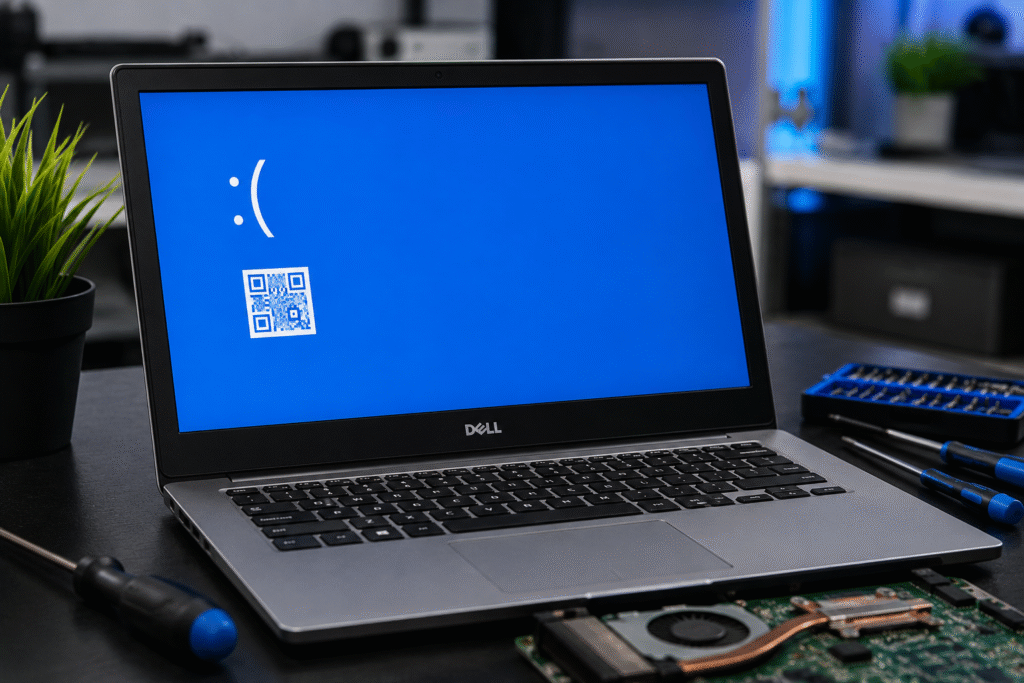
If your Dell laptop suddenly displays a blue screen with an error message and restarts unexpectedly, you’re experiencing what is commonly known as the Blue Screen of Death (BSOD). When you’re working on important data or business-related tasks, this problem can be particularly annoying. Fortunately, competent technicians can identify and fix the majority of Dell blue screen issues. At Lapcare Computers, we offer expert Dell laptop repair services in Dubai, assisting customers in promptly resolving BSOD problems and returning their computers to optimal functionality. What Causes a Dell Blue Screen Error? A blue screen error occurs when Windows encounters a critical system issue that prevents it from operating safely. Several factors can trigger this problem. 1. Faulty Hardware Components Blue screen errors and system breakdowns might be caused by damaged RAM, malfunctioning hard drives, overheating processors, or motherboard problems. One of the most frequent reasons for persistent BSOD issues is hardware malfunctions. 2. Corrupted Drivers Drivers that are out-of-date, incompatible, or corrupted may interfere with Windows and result in unexpected system failures. Graphics drivers, network drivers, and storage drivers are typically responsible for blue screen crashes. 3. Windows Update Issues Blue screen errors following system restarts can occasionally result from program conflicts caused by incomplete or troublesome Windows updates. 4. Malware and Virus Infections Critical system files can be harmed by malicious software, leading to instability and frequent crashes. To avoid such problems, regular security scans are crucial. 5. Overheating Problems If cooling systems aren’t working properly, Dubai’s hot weather can lead to laptop overheating. In order to safeguard hardware components, excessive heat might cause blue screen problems and system shutdowns. Common Dell Blue Screen Error Messages Some frequently encountered Dell BSOD messages include: Technicians can determine the underlying reason and apply the appropriate repair solution with the aid of these error codes. How to Fix Dell Blue Screen Errors Software troubleshooting can fix some minor BSOD problems, but professional diagnosis is typically needed for persistent difficulties. Installing the latest Dell-certified drivers can eliminate compatibility issues and enhance system stability. Dell laptops come with built-in diagnostic tools that can find hardware issues with RAM, hard drives, and other components. Perform a comprehensive antivirus scan to remove malicious software affecting system performance. DISM tools and Windows System File Checker (SFC) can fix corrupted operating system files that cause crashes. Professional repair or replacement may be required if the problem is caused by a malfunctioning motherboard, SSD, RAM, or cooling system. Why Choose Lapcare Computers for Dubai Dell Laptop Repair? Choosing a qualified repair expert is crucial when it comes to Dell laptop repair in Dubai. At Lapcare Computers, we offer: Our staff is aware of how crucial your laptop is for personal, professional, and educational purposes. For this reason, we concentrate on providing effective repairs that restore your device’s functionality as soon as feasible. Conclusion A Dell blue screen error frequently indicates that your laptop needs to be fixed immediately. Ignoring persistent BSOD problems might result in future data loss, decreased performance, and more costly fixes. For expert diagnosis and repair services in Dubai, rely on Lapcare Computers if your Dell laptop continues crashing or displaying blue screen issues. Our professionals can determine the underlying issue and offer practical fixes to improve the dependability and functionality of your laptop.

Chip-Level Laptop Repair
Blog

What Is Chip-Level Laptop Repair and Why Is It Important?

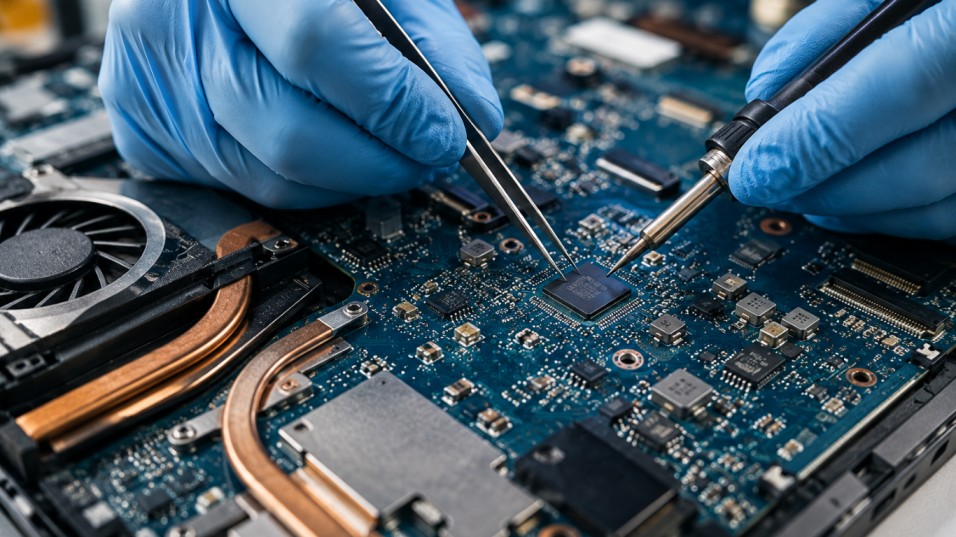
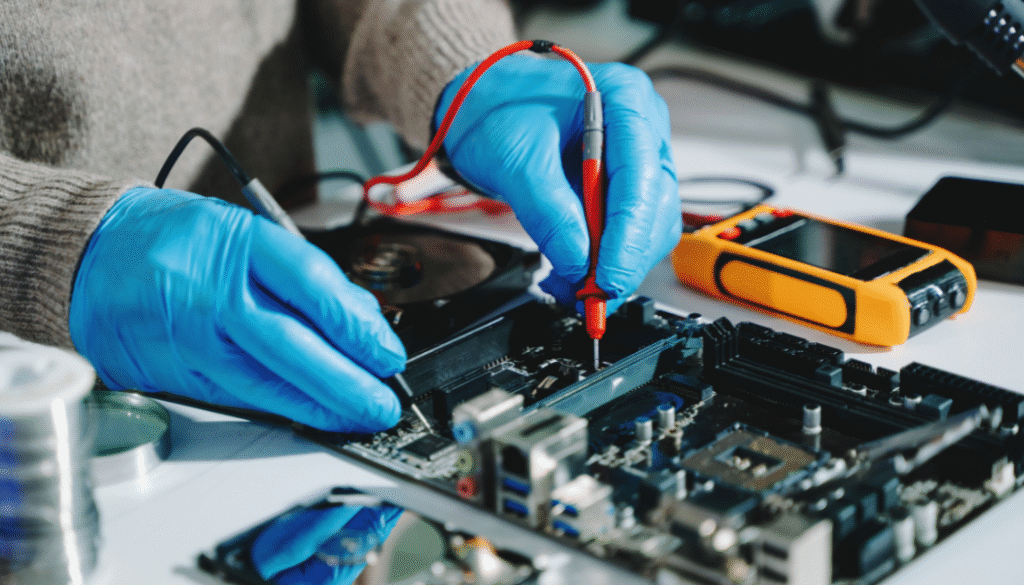
Laptops have become essential for work, education, and daily life. From business tasks to personal use, we depend heavily on them. But when a laptop suddenly stops working, many people assume the only solution is replacing expensive parts like the motherboard. In reality, chip-level laptop repair can often fix the issue at a much lower cost. Chip-level repair is one of the most advanced and cost-effective methods of laptop repair. At Lapcare Computers, expert technicians specialize in diagnosing and repairing motherboard-level issues, helping customers save money while extending the life of their devices. Lapcare offers professional motherboard and chip-level repairs in Dubai for all major laptop brands. What Is Chip-Level Laptop Repair? Chip-level laptop repair is a process where technicians identify and repair faults directly on the motherboard at the component level instead of replacing the entire board. A laptop motherboard contains many small electronic components such as: When one of these components fails, it can cause major laptop issues like power failure, no display, charging problems, or overheating. Chip-level repair focuses on finding the exact faulty component and replacing only that part. This process requires advanced tools like microscopes, soldering stations, and professional diagnostic equipment. Advanced micro-soldering and component-level diagnostics are standard in chip-level repair workflows. How Is Chip-Level Repair Different from Regular Laptop Repair? Regular laptop repair usually involves replacing larger parts such as: Chip-level repair, however, deals with internal motherboard circuits and micro-components. For example: This makes chip-level repair more technical and often more economical. Common Problems Fixed with Chip-Level Repair Chip-level repair can solve many complex laptop issues, including: 1. Laptop Not Powering On A dead laptop often results from motherboard power issues, short circuits, or damaged ICs. 2. Charging Problems If your battery is not charging, the problem may be with the charging IC or power supply circuit. 3. Overheating Issues Faulty power circuits or damaged components can lead to overheating and sudden shutdowns. 4. No Display Problem A damaged display IC, GPU circuit, or motherboard fault can cause a black screen. 5. Water Damage Liquid spills can short motherboard components, making chip-level repair essential for recovery. These are among the core motherboard repair services offered by Lapcare Computers. Why Is Chip-Level Laptop Repair Important? Cost Savings Replacing a motherboard can be expensive. Chip-level repair fixes only the damaged component, significantly reducing repair costs. Many users report that service centers often recommend full board replacement, while chip-level specialists can repair only the failed part. Community discussions highlight this as a major cost-saving advantage. Data Protection When the motherboard is repaired instead of replaced, there’s a better chance of preserving your stored data. Extends Laptop Life Chip-level repair can restore your laptop and help it function for several more years. Eco-Friendly Solution Repairing instead of replacing reduces electronic waste and supports sustainable technology use. Why Choose Professional Chip-Level Repair? Chip-level repair is highly technical and should only be done by experienced professionals. Incorrect repairs can cause further damage to the motherboard. At Lapcare Computers, skilled technicians use: Their team handles chip-level repairs for brands like HP, Dell, Lenovo, ASUS, Acer, and Apple MacBook. Signs Your Laptop May Need Chip-Level Repair Watch for these warning signs: If you notice any of these issues, it’s best to get a professional diagnosis immediately. Conclusion Chip-level laptop repair is one of the most valuable repair solutions for complex laptop problems. Instead of spending a large amount on full motherboard replacement, component-level repair can often bring your laptop back to life at a much lower cost. If your laptop is facing motherboard, charging, power, or display issues, Lapcare Computers provides reliable chip-level repair services in Dubai with expert diagnostics and fast turnaround. Getting the problem fixed early can save your device, your data, and your money.

Professional Data Recovery Services
Laptop Repair

Professional Data Recovery Services for Damaged Laptops in Dubai

Professional Data Recovery Services Data loss can be one of the most stressful experiences for both individuals and businesses. Important documents, family photos, business records, financial information, and personal files are often stored on laptops without proper backups. When a laptop becomes damaged due to hardware failure, accidental deletion, virus attacks, water damage, or system crashes, valuable data can suddenly become inaccessible. Professional data recovery services in Dubai provide reliable solutions to recover lost information and restore access to critical files. Understanding Laptop Data Loss Modern laptops store large amounts of information, making them essential tools for daily work and personal use. However, data loss can occur unexpectedly due to various reasons. Physical damage, software corruption, malware infections, accidental formatting, and hard drive failures are among the most common causes. Even a minor issue can prevent users from accessing important files and applications. Professional data recovery specialists use advanced tools and techniques to retrieve data from damaged storage devices. Their expertise helps minimize the risk of permanent data loss while ensuring the highest possible recovery success rate. Common Causes of Laptop Data Loss Laptop users encounter data loss for many different reasons. Hard drive crashes are among the leading causes, especially in older devices that have been used extensively. Physical impacts such as drops or accidental damage can affect internal components and make stored data inaccessible. Software-related issues also contribute significantly to data loss. Operating system failures, corrupted files, failed updates, and malware attacks can compromise the integrity of stored information. In some cases, users accidentally delete important files or format storage devices without realizing the consequences. Water damage is another major concern. Liquid spills can affect critical hardware components and cause immediate system failure. Professional recovery services often have specialized equipment to handle such situations and maximize data retrieval possibilities. Importance of Professional Data Recovery Services Attempting to recover lost data without proper knowledge can sometimes worsen the situation. Many users install recovery software or attempt repairs on their own, which may overwrite existing data and reduce recovery chances. Professional data recovery services in Dubai follow industry-standard procedures to protect storage devices during the recovery process. Experienced technicians perform detailed diagnostics to identify the cause of data loss and develop the most effective recovery strategy. Professional Data Recovery Services Using specialized equipment, professionals can access damaged drives, repair logical errors, and recover information that may appear permanently lost. Their expertise significantly increases the likelihood of successful data retrieval while protecting sensitive information. Data Recovery from Physically Damaged Laptops Physical damage often presents the greatest challenge in data recovery. Damaged hard drives, broken connectors, motherboard failures, and water exposure can make data inaccessible through conventional methods. Professional technicians carefully examine the damaged device and determine the extent of the problem. Advanced laboratory tools allow specialists to repair damaged components temporarily or extract data directly from storage devices. This process requires precision and expertise to avoid further damage. Many physically damaged laptops that appear beyond repair still contain recoverable data. Professional recovery services provide solutions that help users retrieve important information even from severely damaged devices. Recovery from Corrupted Hard Drives and SSDs Traditional hard disk drives and modern solid-state drives can both experience failures that result in data loss. Corrupted file systems, bad sectors, firmware issues, and unexpected power failures can affect storage devices. Data recovery experts use specialized diagnostic software and hardware tools to analyze storage media and identify recoverable information. Depending on the severity of the damage, technicians may rebuild file structures, repair logical errors, or extract data sector by sector. Advanced recovery methods help restore access to documents, images, videos, emails, databases, and other valuable files stored on damaged drives. Virus and Malware Data Recovery Solutions Cyber threats continue to evolve and can significantly impact laptop performance and data security. Viruses, ransomware, spyware, and malicious software may encrypt, delete, or corrupt files. Professional data recovery services help recover affected information while removing harmful software from the system. Technicians perform comprehensive system scans, eliminate security threats, and restore damaged files whenever possible. Businesses and individuals benefit from expert assistance that not only recovers lost data but also strengthens overall system security to prevent future incidents. Data Recovery for Business Users Businesses rely heavily on digital information for daily operations. Customer records, financial data, project files, contracts, and communication archives are essential assets that must remain accessible. Data loss can lead to operational disruptions, financial losses, and reduced productivity. Professional laptop data recovery services in Dubai offer fast and secure recovery solutions designed to minimize downtime. Experienced technicians understand the importance of confidentiality and implement strict security measures throughout the recovery process. This ensures sensitive business information remains protected while recovery procedures are carried out efficiently. Benefits of Choosing Professional Data Recovery Services in Dubai Professional Data Recovery Services Professional recovery services provide access to advanced technology, experienced technicians, and proven recovery methods. These advantages significantly improve the chances of retrieving lost information compared to do-it-yourself approaches. Expert recovery specialists can handle a wide range of data loss scenarios, including hardware failures, software corruption, accidental deletion, and physical damage. Their knowledge allows them to diagnose issues accurately and apply the most suitable recovery techniques. Users also benefit from faster turnaround times, secure handling of sensitive information, and comprehensive support throughout the recovery process. Preventing Future Data Loss While professional recovery services can retrieve lost information in many situations, prevention remains the best strategy. Regular data backups help ensure important files remain available even if hardware failures occur. Cloud storage solutions, external backup drives, and automated backup systems provide additional protection against unexpected data loss. Routine laptop maintenance, antivirus protection, and timely software updates further reduce potential risks. Organizations and individual users should establish reliable backup practices and data protection strategies to safeguard valuable information. Conclusion Professional data recovery services for damaged laptops in Dubai play a vital role in helping individuals and businesses recover critical information from failed or damaged devices. Whether data loss occurs due to hardware

Laptop Repair Services in Bur Dubai
Laptop Motherboard Repair Services

The Importance of Quick Laptop Screen Repair for Business Professionals in Dubai

Introduction Laptop Repair Services in Bur Dubai In today’s fast-paced business environment, laptops have become indispensable tools for professionals across every industry. Whether managing client communications, preparing presentations, handling financial records, conducting virtual meetings, or collaborating with remote teams, business professionals rely heavily on their laptops to maintain productivity and achieve organizational goals. A damaged laptop screen can significantly disrupt these activities, leading to reduced efficiency, missed opportunities, and unnecessary stress. For professionals in Dubai, where business operations move rapidly and competition remains high, quick laptop screen repair services play a crucial role in minimizing downtime and ensuring uninterrupted workflow. Why a Functional Laptop Screen Is Essential for Professionals A laptop screen serves as the primary interface between users and their digital work environment. Even minor screen issues such as flickering displays, dead pixels, discoloration, or cracked glass can affect visibility and hinder productivity. More severe damage can render a device nearly unusable, preventing professionals from accessing critical information and completing important tasks. Quick repair services help restore functionality promptly, allowing users to return to work without prolonged interruptions. The Impact of Screen Damage on Business Productivity Business professionals often operate under tight deadlines and demanding schedules. Delays caused by damaged laptop screens can impact project completion, client communication, and overall business performance. For example, a consultant preparing a client proposal may find it difficult to review documents on a cracked screen. Similarly, a financial analyst working with spreadsheets may struggle to interpret data accurately when screen visibility is compromised. Timely screen repairs help prevent such disruptions and support continued productivity. Supporting Remote and Hybrid Work Environments Remote and hybrid work arrangements have increased the importance of reliable laptops. Many professionals now conduct meetings, presentations, and collaborative sessions through online platforms. A damaged screen can interfere with video conferencing, document sharing, and multitasking capabilities. Quick laptop screen replacement ensures professionals remain connected with colleagues, clients, and stakeholders regardless of their location. Reducing Financial Losses Through Prompt Repairs The financial impact of delayed laptop repairs should not be underestimated. Productivity losses resulting from damaged screens can translate into missed business opportunities and reduced revenue. Employees may spend valuable time attempting temporary workarounds or using less efficient devices while awaiting repairs. By addressing screen issues promptly, businesses can minimize operational disruptions and maintain consistent performance levels. Maintaining a Professional Image Customer-facing professionals particularly benefit from quick screen repair services. Sales representatives, consultants, project managers, and executives frequently use laptops during client meetings and presentations. A damaged or malfunctioning screen can create an unprofessional impression and potentially affect client confidence. Maintaining fully functional equipment reflects professionalism and demonstrates a commitment to quality service. Ensuring Access to Critical Business Data Data accessibility is another important consideration. While screen damage may not directly affect stored files, severe display problems can make it difficult to access important documents and applications. Business professionals often require immediate access to contracts, reports, customer information, and project data. Quick repair services help restore usability without compromising access to critical business resources. Restoring Advanced Display Features Modern laptops incorporate advanced display technologies that enhance productivity and user experience. High-resolution screens, touch functionality, and color-accurate displays support a variety of professional tasks, from graphic design and engineering to financial analysis and content creation. When these screens become damaged, the quality of work can suffer. Professional repair technicians can replace damaged components with compatible, high-quality screens that restore original performance standards. A Cost-Effective Alternative to Device Replacement Many business professionals use premium laptops as long-term investments. Replacing an entire device due to screen damage can be significantly more expensive than repairing or replacing the screen itself. Quick repair services provide a cost-effective solution that extends the lifespan of valuable equipment while preserving business budgets. This approach allows organizations to maximize the return on their technology investments. Common Causes of Laptop Screen Damage Dubai’s business landscape is characterized by innovation, entrepreneurship, and international commerce. Professionals often travel between offices, client sites, conferences, and business events, increasing the risk of accidental laptop damage. Common causes of screen damage include drops, pressure during transport, impact from objects, accidental closure with items left on the keyboard, and liquid spills. Understanding these causes can help users take preventive measures while recognizing the importance of quick repair services when accidents occur. Benefits of Professional Laptop Screen Repair Services Professional laptop screen repair services offer several advantages over attempting repairs independently. Experienced technicians possess the expertise required to diagnose display issues accurately and perform repairs safely. They understand the unique requirements of different laptop brands and models and can source appropriate replacement components. This expertise reduces the risk of additional damage and ensures optimal repair outcomes. Quality Assurance and Reliable Performance Quality assurance is another key benefit of professional repair services. Reputable repair centers thoroughly test repaired devices to verify proper display functionality, brightness levels, resolution quality, and touch responsiveness where applicable. This attention to detail helps ensure that professionals receive a fully functional device capable of meeting their business requirements. Enhancing Workplace Efficiency Quick repair services also contribute to employee satisfaction and workplace efficiency. When businesses provide prompt support for damaged equipment, employees can focus on their responsibilities rather than worrying about technical problems. Maintaining reliable technology infrastructure fosters a productive work environment and supports organizational success. Protecting Business Information and Security Security considerations further highlight the importance of professional repair services. Business laptops often contain sensitive corporate information, customer data, and confidential communications. Using trusted repair providers helps ensure devices are handled responsibly and securely throughout the repair process. This reduces the risk of data exposure and supports compliance with organizational security policies. Preventing Future Laptop Screen Issues Preventive maintenance can complement quick repair services by helping professionals avoid future screen-related issues. Using protective laptop cases, avoiding excessive pressure during transport, keeping devices clean, and handling equipment carefully can significantly reduce the likelihood of screen damage. Regular maintenance and inspections can also help identify potential issues before they become major problems. Why Choose Laptop Screen Replacement Services

Scroll to Top