Laptop Repair

Data Recovery from Dead Laptop
Laptop Repair, Laptop Repair Services

Can Data Be Recovered from a Dead Laptop?

A laptop that suddenly stops working can cause immediate stress, especially when it contains valuable personal files, business documents, photos, videos, or important project data. Many people assume that once a laptop is dead, everything stored on it is lost forever. Fortunately, that is not always the case. In many situations, data can still be recovered from a dead laptop, depending on what caused the failure and the condition of the storage device. Whether your laptop refuses to power on, has suffered physical damage, or experienced hardware failure, professional data recovery techniques can often retrieve your important files. Understanding how laptop failures affect stored data can help you make informed decisions and improve the chances of a successful recovery. What Does a Dead Laptop Mean? A dead laptop simply means the device is no longer functioning properly. It may not power on, may get stuck during startup, or may display a completely black screen. While the laptop itself may be unusable, the internal storage drive often remains intact. In many cases, the problem lies with components such as the motherboard, battery, charging circuit, RAM, display, or power supply rather than the hard drive or SSD where your data is stored. This is why professional technicians can frequently recover files even when the laptop appears completely dead. Common Reasons a Laptop Stops Working Several issues can cause a laptop to become non-functional. Hardware failures are among the most common reasons. A faulty motherboard, damaged power circuit, failed battery, or defective RAM can prevent the system from starting. Software corruption is another possibility. Operating system errors, failed updates, malware infections, or corrupted system files may stop the laptop from booting while leaving the stored data untouched. Physical damage caused by accidental drops, liquid spills, overheating, or electrical surges can also make a laptop unusable. Depending on the severity of the damage, the storage device may still be recoverable. Can Data Still Be Recovered? In most cases, yes. The possibility of recovery depends largely on the health of the storage device rather than the laptop itself. If the hard drive or SSD remains functional, technicians can usually remove it from the laptop and connect it to specialized recovery systems. Even when the storage device has minor damage, advanced recovery software and hardware tools may still retrieve most or all of the data. Professional data recovery specialists use advanced diagnostic equipment to determine the condition of the drive before attempting recovery. Recovering Data from a Laptop with Motherboard Failure Motherboard failure is one of the most common causes of a dead laptop. Fortunately, the motherboard stores very little personal data. Most user files remain safely stored on the hard drive or SSD. If the storage device is unaffected, technicians can remove it from the failed laptop and access the data using another compatible system or specialized recovery equipment. This often results in a high recovery success rate. Data Recovery from a Failed Hard Drive When the hard drive itself has failed, recovery becomes more complex but is still possible in many situations. Mechanical hard drives contain moving parts that can wear out over time. Problems such as damaged read/write heads, spindle motor failure, or scratched platters require specialized clean-room environments and precision tools. Professional recovery experts can repair or temporarily stabilize damaged drives to retrieve valuable files before the drive fails completely. Can Data Be Recovered from a Failed SSD? Solid State Drives (SSDs) differ significantly from traditional hard drives because they have no moving parts. Although SSDs are generally more reliable, they can still fail due to controller damage, firmware corruption, electrical issues, or worn-out memory cells. Recovering data from SSDs often requires specialized equipment and advanced technical expertise. While SSD recovery can be more challenging, many successful recoveries are possible depending on the type of failure. Recovering Data After Water Damage Liquid spills can damage multiple internal components, including the motherboard, keyboard, and storage device. The extent of damage depends on the type of liquid, how much entered the laptop, and whether power remained connected. If the storage drive survives the exposure, technicians can often recover the stored files. Immediate professional attention greatly increases the chances of successful recovery. It is important not to turn on a water-damaged laptop, as doing so can cause short circuits that permanently damage internal components. Data Recovery After Physical Damage Dropping a laptop can damage the casing, motherboard, display, or storage device. Even if the laptop appears completely broken, the data may still remain intact. Professional recovery specialists inspect both the storage media and internal electronics before determining the best recovery method. Advanced tools allow them to retrieve files from many physically damaged devices. Recovering Data from a Laptop That Won’t Boot Sometimes a laptop powers on but gets stuck on the manufacturer logo or displays boot errors. This usually indicates operating system corruption rather than complete hardware failure. In these cases, technicians may access the drive externally, repair file system errors, or create a complete disk image before recovering the data. Boot problems rarely mean that personal files are permanently lost. Professional Data Recovery Process Professional recovery begins with a thorough diagnosis to identify the exact cause of failure. Technicians evaluate whether the issue involves hardware, software, or the storage device itself. If the storage drive is healthy, it is connected to specialized recovery systems where files are safely copied to another storage device. If physical damage exists, advanced repair techniques may be used before attempting recovery. Once recovery is complete, the retrieved files are verified for integrity before being transferred to a new storage device for the customer. What You Should Avoid When a laptop stops working, many users unintentionally reduce their chances of successful recovery by attempting repeated repairs or using unreliable recovery software. Avoid repeatedly powering on the laptop if it makes unusual clicking or grinding noises. Do not open the hard drive yourself, as exposure to dust can permanently damage the internal components. Refrain from reinstalling the operating system or
Overheating Laptop Fix in Dubai
Laptop Repair, Laptop Repair Services

Overheating Laptop Fix in Dubai – Cooling & Performance Solutions

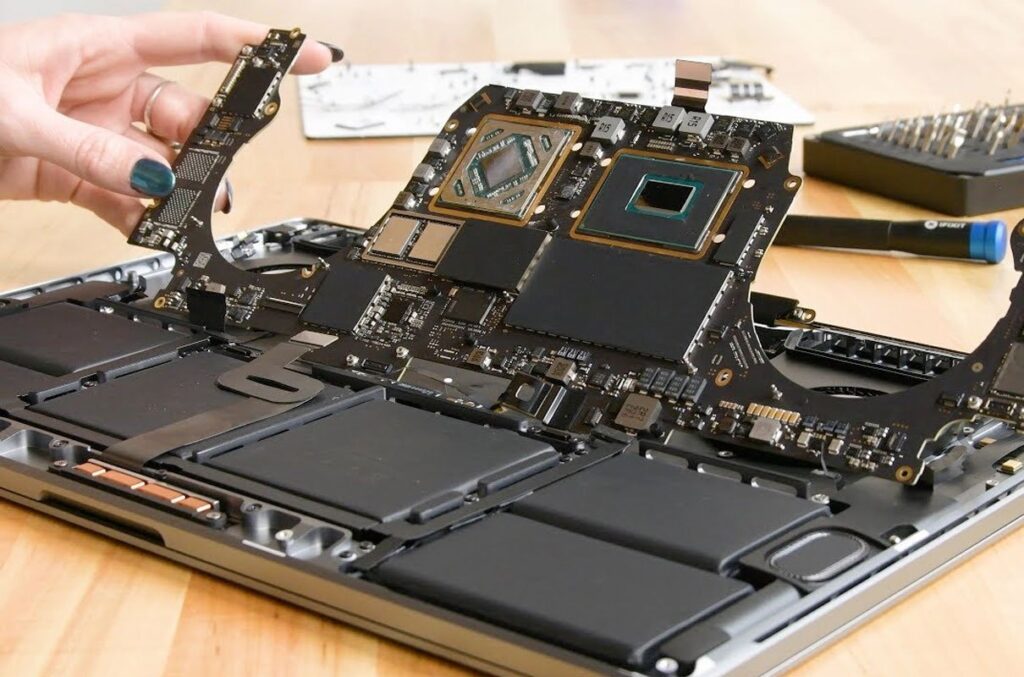
Why Laptop Overheating Should Never Be Ignored Overheating Laptop Fix in Dubai Laptop overheating is one of the most common issues faced by professionals, students, gamers, and businesses in Dubai. A laptop that becomes excessively hot can experience slow performance, unexpected shutdowns, hardware damage, and reduced lifespan. Since laptops are used extensively for work, online meetings, entertainment, and business operations, maintaining an optimal operating temperature is essential. Professional overheating laptop repair services help identify the root cause and restore your laptop’s cooling efficiency for long-lasting performance. Common Signs Your Laptop Is Overheating Recognizing the symptoms of overheating at an early stage can prevent expensive repairs. Overheating Laptop Fix in Dubai If your laptop fan is constantly running at high speed, the keyboard becomes unusually hot, or the laptop shuts down automatically after a short period of use, overheating could be the cause. Other common signs include reduced system speed, frequent freezing, unexpected restarts, battery draining quickly, and warning messages related to temperature. Ignoring these signs can eventually damage important internal components. What Causes Laptop Overheating? Several factors contribute to excessive laptop heat. Dust accumulation inside the cooling fan and air vents is one of the leading causes, restricting airflow and preventing proper heat dissipation. Dried thermal paste between the processor and heat sink reduces cooling efficiency over time. Running multiple heavy applications simultaneously, outdated cooling systems, malware infections, damaged fans, and blocked ventilation openings can also increase internal temperatures. Even using a laptop on soft surfaces such as beds or cushions can block airflow and lead to overheating. Professional Laptop Cooling System Diagnosis Professional technicians perform a complete inspection to determine why your laptop is overheating. The diagnostic process includes checking the cooling fan, heat sink, ventilation system, processor temperature, graphics card temperature, motherboard condition, and thermal paste effectiveness. Advanced diagnostic tools help identify hidden issues that may not be visible during a basic inspection. Accurate diagnosis ensures that the correct repair solution is provided instead of temporary fixes. Internal Cleaning for Better Cooling Performance Dust and debris gradually build up inside laptops, reducing airflow and causing components to retain heat. Professional internal cleaning removes accumulated dust from cooling fans, air vents, heat sinks, and other critical components. This improves airflow, enhances cooling efficiency, and reduces the overall operating temperature of the laptop. Regular internal cleaning is one of the most effective ways to maintain long-term laptop performance. Thermal Paste Replacement for Efficient Heat Transfer Thermal paste plays a vital role in transferring heat from the processor to the cooling system. Over time, the paste dries out and loses its effectiveness, causing temperatures to rise significantly. Replacing old thermal paste with high-quality thermal compound improves heat transfer and allows the processor to operate at safer temperatures. This simple maintenance procedure can dramatically improve laptop cooling performance. Cooling Fan Repair and Replacement Services A faulty cooling fan can no longer remove heat efficiently, causing rapid temperature increases. Professional technicians inspect the fan for dust buildup, damaged blades, worn bearings, or electrical faults. Depending on the condition, the fan may be cleaned, repaired, or replaced to restore proper airflow. Overheating Laptop Fix in Dubai A functioning cooling fan is essential for maintaining stable laptop performance during extended use. Improving Laptop Performance Through Cooling Solutions Excessive heat forces processors to reduce their operating speed through thermal throttling, making laptops noticeably slower. Once cooling problems are resolved, the processor and graphics system can operate at their intended performance levels. Users often experience faster boot times, smoother multitasking, improved gaming performance, and more stable operation after professional cooling system repairs. Overheating Issues in Gaming and High-Performance Laptops Gaming laptops and workstations generate more heat because they run powerful processors and graphics cards. Without proper cooling, these devices may experience frame drops, lag, unexpected shutdowns, or hardware failure. Professional cooling services for gaming laptops include advanced cleaning, thermal paste replacement, fan optimization, and cooling system inspection to ensure maximum performance under heavy workloads. Preventing Future Laptop Overheating Preventive maintenance helps reduce the risk of overheating and costly repairs. Regular internal cleaning, keeping air vents unobstructed, using genuine chargers, updating system software, avoiding excessive multitasking, and placing laptops on hard, flat surfaces all contribute to better cooling. Periodic servicing also helps identify potential issues before they become serious hardware failures. Why Choose Professional Laptop Overheating Repair in Dubai? Professional laptop repair technicians have the experience and specialized equipment needed to accurately diagnose overheating issues. They provide comprehensive cooling system maintenance, fan repair, thermal paste replacement, hardware inspection, and performance optimization for all major laptop brands. Expert service helps extend the lifespan of your laptop while ensuring reliable day-to-day performance for work, education, and entertainment. Laptop Brands We Repair Professional laptop overheating repair services are available for a wide range of brands, including HP, Dell, Lenovo, ASUS, Acer, Apple MacBook, MSI, Razer, Samsung, Toshiba, Microsoft Surface, Huawei, and many other leading laptop manufacturers. Experienced technicians understand the unique cooling designs of different models and provide customized repair solutions for each device. Why Regular Laptop Maintenance Matters Routine maintenance is one of the best investments you can make for your laptop. Regular servicing keeps internal components clean, maintains efficient cooling, improves system stability, and reduces the chances of unexpected hardware failures. Whether you use your laptop for business, education, creative work, or gaming, scheduled maintenance helps maximize performance and extends the life of your device. Conclusion Laptop overheating is more than just an inconvenience—it is a warning sign that should never be ignored. Overheating Laptop Fix in Dubai Excessive heat can damage critical components, reduce system performance, and shorten the lifespan of your laptop. Professional overheating laptop repair services in Dubai provide complete cooling solutions, including internal cleaning, thermal paste replacement, cooling fan repair, and system optimization. With expert diagnosis and preventive maintenance, your laptop can continue to operate efficiently, reliably, and safely for years to come.

Dell Blue Screen Error Repair Solutions
Laptop Repair

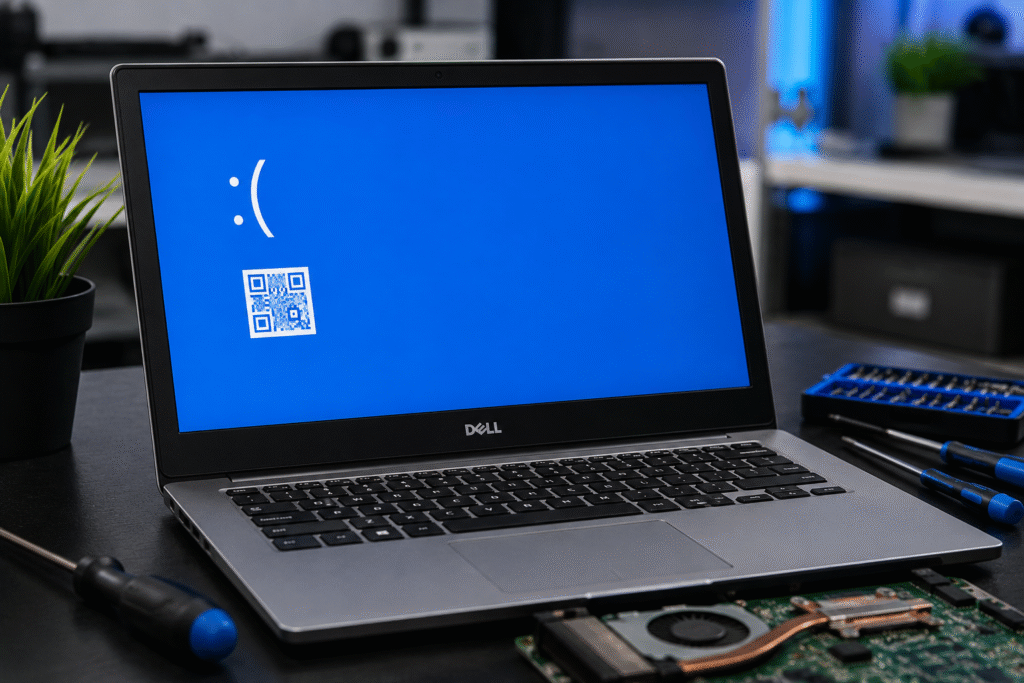
Dell Blue Screen Error: Common Causes and Repair Solutions

If your Dell laptop suddenly displays a blue screen with an error message and restarts unexpectedly, you’re experiencing what is commonly known as the Blue Screen of Death (BSOD). When you’re working on important data or business-related tasks, this problem can be particularly annoying. Fortunately, competent technicians can identify and fix the majority of Dell blue screen issues. At Lapcare Computers, we offer expert Dell laptop repair services in Dubai, assisting customers in promptly resolving BSOD problems and returning their computers to optimal functionality. What Causes a Dell Blue Screen Error? A blue screen error occurs when Windows encounters a critical system issue that prevents it from operating safely. Several factors can trigger this problem. 1. Faulty Hardware Components Blue screen errors and system breakdowns might be caused by damaged RAM, malfunctioning hard drives, overheating processors, or motherboard problems. One of the most frequent reasons for persistent BSOD issues is hardware malfunctions. 2. Corrupted Drivers Drivers that are out-of-date, incompatible, or corrupted may interfere with Windows and result in unexpected system failures. Graphics drivers, network drivers, and storage drivers are typically responsible for blue screen crashes. 3. Windows Update Issues Blue screen errors following system restarts can occasionally result from program conflicts caused by incomplete or troublesome Windows updates. 4. Malware and Virus Infections Critical system files can be harmed by malicious software, leading to instability and frequent crashes. To avoid such problems, regular security scans are crucial. 5. Overheating Problems If cooling systems aren’t working properly, Dubai’s hot weather can lead to laptop overheating. In order to safeguard hardware components, excessive heat might cause blue screen problems and system shutdowns. Common Dell Blue Screen Error Messages Some frequently encountered Dell BSOD messages include: Technicians can determine the underlying reason and apply the appropriate repair solution with the aid of these error codes. How to Fix Dell Blue Screen Errors Software troubleshooting can fix some minor BSOD problems, but professional diagnosis is typically needed for persistent difficulties. Installing the latest Dell-certified drivers can eliminate compatibility issues and enhance system stability. Dell laptops come with built-in diagnostic tools that can find hardware issues with RAM, hard drives, and other components. Perform a comprehensive antivirus scan to remove malicious software affecting system performance. DISM tools and Windows System File Checker (SFC) can fix corrupted operating system files that cause crashes. Professional repair or replacement may be required if the problem is caused by a malfunctioning motherboard, SSD, RAM, or cooling system. Why Choose Lapcare Computers for Dubai Dell Laptop Repair? Choosing a qualified repair expert is crucial when it comes to Dell laptop repair in Dubai. At Lapcare Computers, we offer: Our staff is aware of how crucial your laptop is for personal, professional, and educational purposes. For this reason, we concentrate on providing effective repairs that restore your device’s functionality as soon as feasible. Conclusion A Dell blue screen error frequently indicates that your laptop needs to be fixed immediately. Ignoring persistent BSOD problems might result in future data loss, decreased performance, and more costly fixes. For expert diagnosis and repair services in Dubai, rely on Lapcare Computers if your Dell laptop continues crashing or displaying blue screen issues. Our professionals can determine the underlying issue and offer practical fixes to improve the dependability and functionality of your laptop.

Professional Data Recovery Services
Laptop Repair

Professional Data Recovery Services for Damaged Laptops in Dubai

Professional Data Recovery Services Data loss can be one of the most stressful experiences for both individuals and businesses. Important documents, family photos, business records, financial information, and personal files are often stored on laptops without proper backups. When a laptop becomes damaged due to hardware failure, accidental deletion, virus attacks, water damage, or system crashes, valuable data can suddenly become inaccessible. Professional data recovery services in Dubai provide reliable solutions to recover lost information and restore access to critical files. Understanding Laptop Data Loss Modern laptops store large amounts of information, making them essential tools for daily work and personal use. However, data loss can occur unexpectedly due to various reasons. Physical damage, software corruption, malware infections, accidental formatting, and hard drive failures are among the most common causes. Even a minor issue can prevent users from accessing important files and applications. Professional data recovery specialists use advanced tools and techniques to retrieve data from damaged storage devices. Their expertise helps minimize the risk of permanent data loss while ensuring the highest possible recovery success rate. Common Causes of Laptop Data Loss Laptop users encounter data loss for many different reasons. Hard drive crashes are among the leading causes, especially in older devices that have been used extensively. Physical impacts such as drops or accidental damage can affect internal components and make stored data inaccessible. Software-related issues also contribute significantly to data loss. Operating system failures, corrupted files, failed updates, and malware attacks can compromise the integrity of stored information. In some cases, users accidentally delete important files or format storage devices without realizing the consequences. Water damage is another major concern. Liquid spills can affect critical hardware components and cause immediate system failure. Professional recovery services often have specialized equipment to handle such situations and maximize data retrieval possibilities. Importance of Professional Data Recovery Services Attempting to recover lost data without proper knowledge can sometimes worsen the situation. Many users install recovery software or attempt repairs on their own, which may overwrite existing data and reduce recovery chances. Professional data recovery services in Dubai follow industry-standard procedures to protect storage devices during the recovery process. Experienced technicians perform detailed diagnostics to identify the cause of data loss and develop the most effective recovery strategy. Professional Data Recovery Services Using specialized equipment, professionals can access damaged drives, repair logical errors, and recover information that may appear permanently lost. Their expertise significantly increases the likelihood of successful data retrieval while protecting sensitive information. Data Recovery from Physically Damaged Laptops Physical damage often presents the greatest challenge in data recovery. Damaged hard drives, broken connectors, motherboard failures, and water exposure can make data inaccessible through conventional methods. Professional technicians carefully examine the damaged device and determine the extent of the problem. Advanced laboratory tools allow specialists to repair damaged components temporarily or extract data directly from storage devices. This process requires precision and expertise to avoid further damage. Many physically damaged laptops that appear beyond repair still contain recoverable data. Professional recovery services provide solutions that help users retrieve important information even from severely damaged devices. Recovery from Corrupted Hard Drives and SSDs Traditional hard disk drives and modern solid-state drives can both experience failures that result in data loss. Corrupted file systems, bad sectors, firmware issues, and unexpected power failures can affect storage devices. Data recovery experts use specialized diagnostic software and hardware tools to analyze storage media and identify recoverable information. Depending on the severity of the damage, technicians may rebuild file structures, repair logical errors, or extract data sector by sector. Advanced recovery methods help restore access to documents, images, videos, emails, databases, and other valuable files stored on damaged drives. Virus and Malware Data Recovery Solutions Cyber threats continue to evolve and can significantly impact laptop performance and data security. Viruses, ransomware, spyware, and malicious software may encrypt, delete, or corrupt files. Professional data recovery services help recover affected information while removing harmful software from the system. Technicians perform comprehensive system scans, eliminate security threats, and restore damaged files whenever possible. Businesses and individuals benefit from expert assistance that not only recovers lost data but also strengthens overall system security to prevent future incidents. Data Recovery for Business Users Businesses rely heavily on digital information for daily operations. Customer records, financial data, project files, contracts, and communication archives are essential assets that must remain accessible. Data loss can lead to operational disruptions, financial losses, and reduced productivity. Professional laptop data recovery services in Dubai offer fast and secure recovery solutions designed to minimize downtime. Experienced technicians understand the importance of confidentiality and implement strict security measures throughout the recovery process. This ensures sensitive business information remains protected while recovery procedures are carried out efficiently. Benefits of Choosing Professional Data Recovery Services in Dubai Professional Data Recovery Services Professional recovery services provide access to advanced technology, experienced technicians, and proven recovery methods. These advantages significantly improve the chances of retrieving lost information compared to do-it-yourself approaches. Expert recovery specialists can handle a wide range of data loss scenarios, including hardware failures, software corruption, accidental deletion, and physical damage. Their knowledge allows them to diagnose issues accurately and apply the most suitable recovery techniques. Users also benefit from faster turnaround times, secure handling of sensitive information, and comprehensive support throughout the recovery process. Preventing Future Data Loss While professional recovery services can retrieve lost information in many situations, prevention remains the best strategy. Regular data backups help ensure important files remain available even if hardware failures occur. Cloud storage solutions, external backup drives, and automated backup systems provide additional protection against unexpected data loss. Routine laptop maintenance, antivirus protection, and timely software updates further reduce potential risks. Organizations and individual users should establish reliable backup practices and data protection strategies to safeguard valuable information. Conclusion Professional data recovery services for damaged laptops in Dubai play a vital role in helping individuals and businesses recover critical information from failed or damaged devices. Whether data loss occurs due to hardware

Common Laptop Problems and Solutions
Laptop Repair

Common Laptop Problems and Solutions: A Complete Troubleshooting Guide

Laptops have become an indispensable part of our lives for various uses, from work and study to business and entertainment. But just like any other device, laptops can experience problems from time to time. Sometimes, they are small and easy to solve. Other times, a more professional approach is necessary. Knowing about typical laptop problems and how to solve them is crucial in identifying problems on time and taking adequate measures to fix them before they escalate into something bigger. In this guide, we look at some of the most frequent laptop problems and possible solutions. Slow Laptop Performance One of the most common complaints among laptop users is slow performance. Common Causes Solutions Regular maintenance can significantly improve overall laptop performance. Laptop Overheating Overheating can affect performance and potentially damage internal components. Common Causes Solutions If overheating persists, professional inspection may be necessary. Laptop Battery Draining Quickly Battery performance naturally decreases over time. Common Causes Solutions A failing battery can significantly impact laptop usability. Laptop Not Turning On A laptop that refuses to power on can be alarming. Common Causes Solutions Early diagnosis can help prevent further damage. Laptop Screen Problems Display issues are among the most common repair requests. Common Problems Solutions Professional screen replacement is often the safest solution for physical damage. Laptop Running Hot and Shutting Down Automatic shutdowns often indicate temperature-related issues. Common Causes Solutions Ignoring repeated shutdowns can lead to hardware damage. Keyboard Not Working Properly Keyboard problems can affect productivity. Common Causes Solutions Prompt action can prevent further complications. Laptop Wi-Fi Connectivity Issues Internet connectivity problems can disrupt daily activities. Common Causes Solutions Persistent issues may require professional troubleshooting. Hard Drive Failure Warning Signs Storage failures can lead to data loss. Warning Signs Solutions Taking action early can help prevent permanent data loss. Water Damage Issues Accidental liquid spills are a common cause of laptop failure. Immediate Steps Professional Solutions Quick action greatly improves the chances of successful repair. When Should You Seek Professional Laptop Repair? While some minor issues can be resolved through basic troubleshooting, professional assistance is recommended when: Professional technicians can accurately diagnose problems and recommend the most effective solutions. Why Regular Laptop Maintenance Matters Preventive maintenance helps extend the lifespan of your laptop and reduce repair costs. Regular maintenance includes: Routine care helps ensure consistent performance and reliability. Conclusion A Laptop problem can strike at any time. However, knowing about some common laptop problems can enable you to act promptly and solve these problems. There could be various problems, ranging from computer slowdowns and heating problems to computer batteries not working properly and monitor problems. In case you are experiencing frequent problems with your computer, you can diagnose and repair it for optimum operation. The regular servicing of laptops can help improve their performance levels. FAQs What is the most common laptop problem? Slow performance caused by software issues, storage limitations, or aging hardware is one of the most common laptop problems. Why is my laptop overheating? Overheating is often caused by dust buildup, blocked vents, faulty cooling fans, or excessive workload. Can a water-damaged laptop be repaired? In many cases, yes. The chances of successful repair improve significantly when the device is powered off immediately and inspected by a technician. How often should a laptop be serviced? A professional maintenance check every 6 to 12 months can help prevent many common issues. What should I do if my laptop won’t turn on? Check the charger, battery, and power connections first. If the problem persists, seek professional diagnosis.

Scroll to Top