Blog

Your blog category

Same-Day Laptop Repair in Dubai: Is It Worth Choosing Fast Service?
Blog

Same-Day Laptop Repair in Dubai: Is It Worth Choosing Fast Service?

When a laptop is not functioning, it is as if everything is brought to a standstill. No emails are sent, and projects are put on hold. In a business center like Dubai, any downtime is considered costly. This is where same-day laptop repair services become extremely useful. However, is it always wise to opt for laptop repair services? Let’s find out. Why Speed Matters in Dubai Dubai is a center for entrepreneurs, corporate professionals, students, and freelancers who use their laptops every single day of their lives. Common urgent laptop problems include: In such cases, waiting several days for repair is not practical. Same-day service helps restore productivity quickly. What Does Same-Day Laptop Repair Actually Mean? “Same-day repair” does not mean that the work is done quickly or carelessly. It means that the service technicians have the tools, the knowledge, and the parts needed to complete routine repairs within hours. Most same-day services typically cover: Screen Replacement If your display is cracked or flickering, the screen replacement process can usually be done in a few hours. Battery and Charging Repairs Battery replacements and charging port repairs are usually quick and straightforward. RAM and SSD Upgrades Performance upgrades can significantly speed up your system and are commonly done on the same day. Software Troubleshooting Operating system issues, virus removal, and performance optimization can usually be done on the spot. In more serious cases of motherboard damage or liquid damage, more time may be necessary to diagnose. Is Same-Day Laptop Repair Reliable? Reliability depends on the repair provider, not the speed. A professional service center will follow a structured process: Fast service should never compromise technical standards. Comparing Same-Day Repair vs Standard Repair Standard Repair: Same-Day Repair: For working professionals, students, and business owners in Bur Dubai, same-day service often proves more practical. Does Same-Day Repair Cost More? Many people assume urgent repair services are expensive. In reality, pricing mainly depends on: For common issues like screen or battery replacement, pricing remains competitive. A trusted repair center will provide upfront cost details without hidden charges. When Is Same-Day Repair Worth It? Same-day laptop repair is worth it if: If your device is essential to your daily routine, quick restoration can prevent stress and financial loss. When You Should Consider Extended Repair In cases of: A longer repair timeline may be necessary to ensure complete and safe restoration. Final Thoughts Same-day laptop repair in Dubai is not just about speed. It is about minimizing downtime while maintaining quality standards. For many users in Bur Dubai, quick repair services provide real value by restoring productivity and preventing further damage. Choosing an experienced and transparent service provider makes all the difference.

How a RAM Upgrade Can Improve Laptop Performance
Blog

How a RAM Upgrade Can Improve Laptop Performance

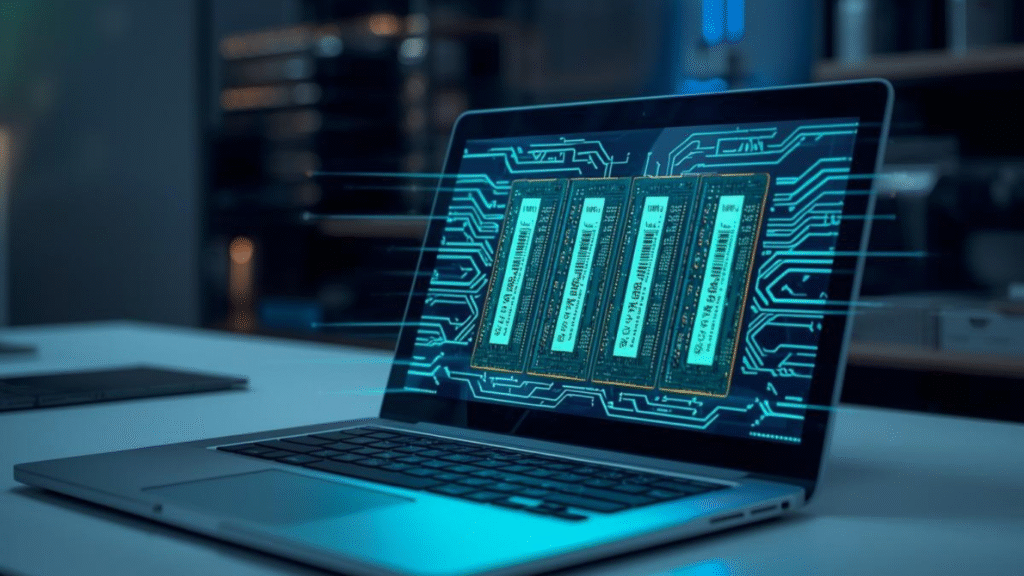
If you think your laptop is too slow or freezes frequently when performing tasks, you may not need a new computer. There are instances when a RAM upgrade is all you need to improve the performance of your laptop. At Lapcare Computers, we offer RAM upgrade services for our customers who wish to improve the efficiency of their laptops. In this guide, we’ll explain how RAM works, why upgrading it helps, and when it’s the right solution for you. What Is RAM and Why Is It Important? RAM is the (random access memory) of a computer. It is the temporary storage of data in a computer. The more the RAM in a computer, the more tasks the computer is able to accomplish simultaneously. For example: When the RAM in a computer is low, the hard drive is used as a backup for the computer’s memory. The hard drive is too slow for a computer’s memory. Signs Your Laptop Needs a RAM Upgrade You may need a RAM upgrade for your laptop when you experience the following: If your laptop constantly struggles with everyday tasks, increasing RAM can provide an immediate performance boost. How a RAM Upgrade Improves Laptop Performance 1. Faster Multitasking More RAM means that you can multitask faster. You can run multiple applications simultaneously, such as opening multiple tabs in the browser, sending emails, working with spreadsheets, and making video calls. 2. Better Performance for Heavy Software Some software, such as graphic design, video editing, and gaming, require more RAM to function properly. By increasing the RAM, you can enjoy faster performance and minimal lag. 3. Reduced System Crashes Lack of RAM can cause system crashes, but increasing the RAM can help you avoid such situations. 4. Improved Overall Speed More RAM means that you can enjoy faster performance from your laptop, making it easier to work more efficiently. RAM Upgrade vs Buying a New Laptop Some people assume that the laptop is slow and hence the need to buy a new laptop, but the truth is that you can always upgrade the RAM to improve the laptop’s performance. A professional assessment can determine: At Lapcare Computers, we always conduct an assessment to find out what you need to improve the performance of your laptop to ensure that the upgrades we make for you are safe and efficient. How Much RAM Do You Need? Here’s a general guideline: Choosing the right RAM depends on your usage requirements. Why Professional RAM Installation Matters Although RAM upgrades may look simple, improper installation can cause system damage or compatibility issues. Professional technicians: This ensures your laptop runs safely and efficiently after the upgrade. Why Choose Lapcare Computers? At Lapcare Computers, we provide expert laptop repair and upgrade services in Bur Dubai. Our technicians have extensive experience with hundreds of RAM upgrades for various laptop models. We focus on: Our commitment is to not only repair your laptop but to do so effectively and efficiently. Final Thoughts A RAM upgrade is one of the best ways to boost laptop performance without having to spend too much. If your laptop is slow but still working perfectly, it may be best to upgrade your RAM to avoid purchasing a new laptop. If you are still unsure if your laptop is worthy of a RAM upgrade, it is best to get it checked by professionals.

Laptop Battery Buying Guide
Blog

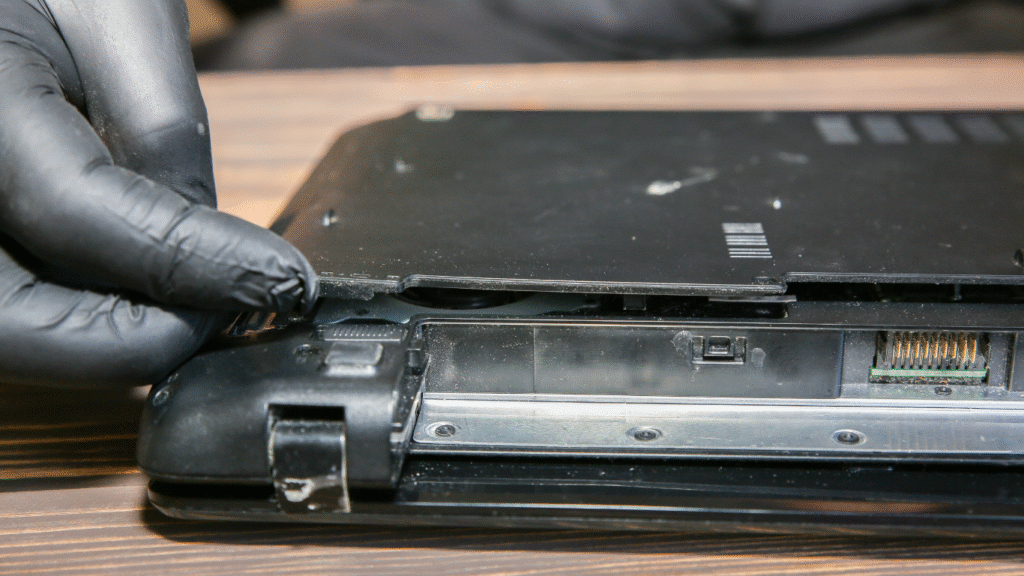
Laptop Battery Buying Guide: How to Choose the Right Battery for Your Laptop

One of the most important components of your laptop is the battery. A durable battery guarantees continuous productivity and mobility, whether you are a student, working professional, or business owner. All laptop batteries degrade over time, resulting in reduced backup time, unexpected shutdowns, and performance problems. Maintaining the longevity and efficiency of your laptop requires selecting the appropriate replacement battery.  Recognize the Type of Battery in Your Laptop It’s important to know what kind of battery your laptop utilizes before making a purchase. Lithium-ion (Li-ion) or lithium-polymer (Li-Po) batteries power the majority of modern laptops. Compared to prior technology, these batteries have a higher energy density, are lighter, and charge more quickly. To make sure your laptop is compatible, always verify the model number and battery specs. Check Battery Compatibility Not every laptop battery is the same. Models of the same brand of batteries can differ. Always make sure: Using a battery that isn’t suitable can harm your laptop or cause it to perform worse. Safe operation and the best backup time are guaranteed with a perfectly matched battery. Battery Capacity and Backup Time Battery capacity is measured in milliampere-hours (mAh) or watt-hours (Wh). Higher capacity generally means longer backup time, but it should always match what your laptop supports. Choosing a battery with incorrect capacity can affect charging efficiency and overall performance. Balance your need for longer battery life with manufacturer-recommended specifications. Quality and Safety Standards Although they may be less expensive, low-quality batteries can carry significant concerns like swelling, overheating, and even fire threats. Always seek out batteries that adhere to global safety and quality regulations. Long-term dependability and user safety are guaranteed by high-quality cells, appropriate circuit protection, and verified components. Original vs Compatible Batteries Original batteries are guaranteed to be compatible if purchased from a reliable seller; high-quality compatible batteries can give comparable performance at a lower cost. Selecting batteries that employ premium-grade cells and go through comprehensive quality inspections is crucial. Stay clear of unknown or unbranded products that threaten durability and safety. Warranty and After-Sales Support Confidence in the quality of the goods is shown in a solid warranty. Always choose a supplier with prompt customer service and clear warranty coverage. This guarantees comfort in the case of post-purchase performance problems or manufacturing defects. Why Choose Us for Bur Dubai Laptop Battery Replacement? Choosing the best service provider is crucial for quick, reliable, and expert laptop battery replacement in Dubai. Here’s why customers trust us: Quick & Convenient Service in Bur Dubai We recognize the significance of your laptop for both daily life and business. For the majority of laptop models, we can provide same-day battery replacement and prompt diagnosis thanks to our local presence in Bur Dubai. High-Quality, Tested Batteries We exclusively utilize high-end laptop batteries that adhere to performance and safety requirements. To guarantee appropriate backup time, steady power delivery, and long-term dependability, every battery is put through testing. Experienced Technicians Our experienced technicians change batteries with care and precision, protecting your laptop from internal damage while it is being installed. Wide Brand Compatibility We provide and support a large variety of laptop batteries, from well-known brands to less popular types, making replacement easy and hassle-free. Transparent Pricing No additional expenses. Along with clear guidance on the optimal battery choice for your laptop, you are given clear pricing up front. Warranty & After-Sales Support All our laptop battery replacements come with warranty support, giving you peace of mind and dependable performance after service. Trusted Accessories & Components We work with reliable brands such as Lapcare Computers to ensure quality components that customers can depend on. If you’re looking for a dependable solution for laptop battery replacement in Bur Dubai, we combine quality products, skilled service, and customer-focused support to keep your laptop powered and productive.

Common Keyboard and Mouse Issues
Blog

Common Keyboard & Mouse Problems and How to Fix Them 

Although keyboards and mouse are among the most commonly used computer devices, many users frequently experience problems with them. A defective keyboard or mouse may restrict your productivity and lead to discomfort whether you’re working, gaming, or browsing. We’ll examine the most typical keyboard and mouse issues in this tutorial, along with straightforward solutions. Non-Responding Keyboard Keys Problem: Some of your keyboard’s keys only occasionally function or do not register when touched. Possible Causes: Dust and debris under the keys, sticky keys, or hardware failure. How to Fix: Clean the keyboard: After turning off the computer, use a soft brush or compressed air to gently remove any debris. Check for Stuck Keys: If a key feels stuck, gently pry it up (if it is detachable) or press it repeatedly, then clean underneath. Test the Keyboard: To determine whether the problem still exists, use a different device. The keyboard might need to be replaced if the issue persists. Freezing or Jumping Mouse Cursor Problem: The mouse pointer freezes entirely or moves erratically. Possible causes include surface incompatibility, an old driver, a dirty sensor, or a low battery (for a wireless mouse). How to Fix: Clean the Sensor: Flip the mouse over and use a cotton swab to wipe the area surrounding the optical sensor. Replace Batteries: Weak batteries might cause delay or freezing in the wireless mouse. Choose the Right Surface: Some mice function better on a matte surface or a mouse pad. Update Drivers: Install the most recent mouse drivers by going to the support page for your computer. Keyboard Types Wrong Characters Problem: When one key is pressed, an entirely different character is typed. Possible Causes: Wrong keyboard layout selected, language settings changed, or stuck modifier keys. How to Fix: Check Keyboard Layout: Navigate to system settings and make sure your keyboard layout (such as US QWERTY) corresponds to your language. Turn Off Sticky Keys: Disable accessibility features such as Sticky Keys and Filter Keys in the accessibility settings. Restart the computer: Restarting the computer frequently fixes input device-related system issues. Mouse Click Not Registering Problem: Double-clicking occurs accidentally, or clicking doesn’t register. Possible Causes: Worn-out mouse buttons, dirt under the button, or hardware malfunction. How to Fix: Keep the area around the buttons clean since dust can prevent the buttons from moving properly. Apply compressed air or a gentle cloth. Examine for Mechanical Wear: If the mouse is old, it may have worn-out internal switches; replace it. Try a Different USB Port: Occasionally, the port might not be providing sufficient power. Bluetooth Keyboard/Mouse Not Connecting Problem: Your laptop or PC won’t link with a wireless keyboard or mouse. Possible reasons include a low battery, an out-of-range device, or Bluetooth switched off. How to Fix: Turn on Bluetooth: Verify that Bluetooth is enabled in your system preferences. Bring Devices Closer: Make sure the Bluetooth adapter’s operating range includes the keyboard and mouse. Remove & Re-Pair: Clear the Bluetooth settings on the device and pair it once more. When to Seek Professional Help Many problems may be fixed at home, but some require professional help, particularly if the hardware is broken or unresponsive after troubleshooting. Trained technicians can precisely repair defective parts or diagnose internal connection problems with laptop peripherals and accessories. Expert help guarantees that your devices function properly, whether you’re dealing with a broken mouse or a non-responsive keyboard. Why Choose Us? In addition to providing top-notch mouse, keyboard, and computer accessories, Lapcare Computers offers reliable repair services to keep your gadgets operating at their peak performance. Our experienced technicians are qualified to accurately and carefully diagnose and resolve a variety of keyboard, mouse, and laptop-related problems. We concentrate on providing prompt and efficient solutions for issues like unresponsive keys, malfunctioning mouse buttons, connectivity issues, or regular hardware wear and tear. We use quality replacement parts, follow industry-standard repair practices, and ensure every device is thoroughly tested before it is returned to the customer. Our goal is to minimize downtime and help you get back to work without unnecessary delays. With a strong focus on customer satisfaction, transparent service, and technical expertise, Lapcare Computers is a trusted choice for professional computer repair services in Dubai.

Laptop Screen Repair
Blog

Top 7 Signs Your Laptop Screen Needs Professional Repair

Your laptop screen is one of the most important components — it’s where you work, watch, and interact every day. But like any part of your device, screens can deteriorate over time or get damaged unexpectedly. While some minor issues might seem harmless at first, ignoring them can lead to bigger problems later. To help you tell when it’s time to seek expert help, we’ve rounded up the top 7 signs your laptop screen needs professional repair. 1. Cracks or Visible Physical Damage The most obvious sign that your laptop screen needs repair is visible physical damage such as cracks, chips, or spiderweb lines spreading across the display. Even hairline cracks may grow over time and impact the entire screen’s usability. 2. Flickering or Unstable Brightness If your screen flickers repeatedly, fluctuates in brightness, or suddenly becomes dark without warning, it’s a sign of underlying display issues. Flickering can be caused by loose connections, failing backlights, or damaged display drivers — all of which require professional attention. 3. Dead Pixels or Discoloration Dead pixels are tiny spots on the screen that remain dark or stuck on one color. While a few isolated dead pixels might seem minor, multiple dead or stuck pixels and noticeable patches of discoloration indicate a larger problem with the panel itself. 4. Lines or Bands on the Screen Horizontal or vertical lines that appear across your screen are a common symptom of hardware failure. These lines may stay fixed in one area or blink intermittently — both of which suggest the display needs inspection and possible replacement. 5. Screen Not Responding Properly If your touchscreen (on touchscreen laptops) becomes unresponsive, registers incorrect touches, or has erratic behavior, the digitizer — the component that senses touch — may be malfunctioning. Only trained technicians can safely repair or replace these parts. 6. Black Spots or Bleeding Light Sometimes backlight bleeding or black spots can appear along the edges or corners of the screen. This usually happens when the LCD layer is damaged or the panel is warped. Left unchecked, this can worsen over time and affect your viewing experience. 7. Screen Turns Off When You Adjust the Angle If your laptop screen goes black every time you open it past a certain angle, there could be a loose cable or hinge issue. The display ribbon cable runs through your laptop’s hinge, and wear and tear can cause it to disconnect partially. Professional technicians can fix the connection or replace worn components to restore consistent performance. Why Professional Screen Repair Matters Laptop screens are delicate and intricately connected to other hardware components. Attempting a DIY repair — especially on modern displays with thin bezels and integrated touch — can lead to further damage or void your warranty. At Lapcare Computers,Laptop Screen Repair Dubai our trained technicians use genuine parts and proven techniques to diagnose and fix screen issues quickly and reliably. Got a Damaged Laptop Screen? We Can Help! Whether your screen shows one of the signs above or you’re simply not sure what’s wrong, bring your device to the experts at Lapcare Computers. We’ll assess the problem, offer an honest recommendation, and get your laptop’s display looking like new again.

Professional ASUS Laptop Repair
Blog

Why Choose a Professional ASUS Laptop Repair Center in Bur Dubai

In both personal and professional life, laptops are necessary. Choosing the best repair center becomes crucial when your ASUS laptop breaks, whether it’s a motherboard issue, battery failure, overheating, or a damaged screen. Choosing a professional ASUS laptop repair center in Bur Dubai guarantees your gadget will receive expert service, dependable fixes, and long-term functionality. Expertise That Safeguards Your Device ASUS laptops are constructed with sophisticated technologies and advanced components. Attempting repairs through untrained technicians or DIY methods can often lead to further damage. Expert technicians with knowledge of ASUS laptop architecture, diagnostics, and repair techniques can be found in a professional repair center. Professionals make sure your laptop is handled safely and effectively for everything from complicated hardware repairs to software problems. Utilizing Compatible and Genuine Parts Access to premium replacement parts is one of the main benefits of choosing a reputable ASUS laptop repair center in Bur Dubai. Reputable service companies utilize original or higher compatible parts to keep your laptop running smoothly and last longer. For essential replacements like screens, batteries, keyboards, charging ports, and internal parts, this is especially important. Accurate Diagnosis and Cost Transparency Professional repair centers rely on advanced diagnostic tools to identify the exact issue rather than relying on guesswork. This leads to precise problem identification, quicker fixes, and fewer needless replacements. Additionally, you gain from explicit cost estimates prior to the start of repair work, thorough explanations of the problem, and transparent pricing. Saving Time and Providing Reliable Service Your time is important. Understanding the importance of laptop repairs, a reputable ASUS laptop repair center in Bur Dubai provides fast turnaround times, including same-day or express service for frequent problems. Professional handling ensures the repair is done right the first time, saving you repeated visits and unexpected breakdowns. Why Choose Lapcare Computers Our expertise at Lapcare Computers is offering dependable, affordable, and expert ASUS laptop repair services in Bur Dubai. We stand out for our technical know-how and customer-focused approach. Experienced and Qualified Technicians All models and series of ASUS laptops have been expertly repaired by our professionals. We guarantee accuracy and consideration at every stage, from straightforward software problems to complex motherboard-level fixes. Genuine Spare Parts & Quality Repairs To guarantee enduring functionality, we only utilize genuine, high-quality, suitable spare parts. Before being delivered, every repair is put through an intense testing procedure to ensure it meets high-quality requirements. Fast Turnaround Time We recognize the inconvenience that an unusable laptop might cause. We are able to provide prompt, effective service without sacrificing quality because of our optimized repair procedure. Affordable & Transparent Pricing Lapcare Computers doesn’t have any undisclosed fees. We offer affordable solutions catered to your repair requirements along with upfront, transparent estimates. All ASUS Laptop Issues Covered We handle a wide range of ASUS laptop problems, including: Trusted Local Service in Bur Dubai Being a locally trusted repair center, we focus on long-term customer relationships. Our commitment to quality service and customer satisfaction has made us a preferred choice for ASUS laptop repair in Bur Dubai.

Speed Up Your Slow Laptop
Blog

How to Speed Up Your Slow Laptop in Simple Steps

A slow laptop can interrupt your work, delay important tasks, and test your patience. Whether it takes too long to boot up or struggles when running multiple applications, reduced performance is a common issue — especially with devices that haven’t been serviced regularly. Before you consider buying a new laptop, try these practical steps to improve speed and performance. Clear Out Unnecessary Files Over time, laptops collect temporary files, downloads, duplicate data, and unused applications. This digital clutter consumes storage space and slows the system. Start by: Freeing up storage allows your system to run more efficiently. Reduce Background Applications Many apps continue running in the background even when you’re not actively using them. These programs consume RAM and processing power. Check your system settings and disable unnecessary background apps. Limiting these processes can instantly improve responsiveness. Manage Startup Programs If your laptop takes a long time to turn on, startup programs are likely the cause. Some applications automatically launch during boot-up, increasing loading time. Disabling non-essential startup apps can significantly reduce boot time and improve overall system speed. Upgrade Your Storage Drive If your laptop uses a traditional hard drive, upgrading to a Solid State Drive (SSD) can dramatically improve performance. An SSD offers: This upgrade is one of the most effective ways to extend your laptop’s lifespan. Add More RAM When your laptop slows down while switching between programs, limited memory may be the issue. Increasing RAM helps: A technician can assess compatibility and install the correct memory upgrade safely. Run Security Checks Viruses, spyware, and malicious software often operate silently in the background, draining system resources. Make sure to: Regular security maintenance keeps your device both safe and fast. Clean Internal Hardware Dust buildup inside your laptop can block airflow, leading to overheating. When a system overheats, performance automatically decreases to prevent damage. Professional internal cleaning can: Keep Software Updated Outdated operating systems and drivers may cause compatibility issues and reduced performance. Updates often include security patches and speed improvements. Ensure your: When Professional Service Is Needed If your laptop continues to lag after basic troubleshooting, there may be underlying hardware issues. Problems such as failing storage drives, worn-out batteries, overheating components, or motherboard faults require expert attention. Professional diagnosis can identify the exact cause and provide the right solution without unnecessary replacements. Reliable Laptop Support at Lapcare Computers At Lapcare Computers, we help customers restore their laptops to peak performance. From SSD upgrades and RAM installation to virus removal and internal servicing, our technicians provide efficient and reliable solutions tailored to your device. We focus on quick turnaround times, transparent service, and quality repairs to ensure your laptop runs smoothly for years to come. Conclusion A slow laptop doesn’t always mean it’s outdated. With proper maintenance, upgrades, and timely servicing, you can significantly improve performance and extend your device’s life. If your laptop needs professional care, expert assistance can make all the difference in restoring speed and efficiency.

Expert Laptop Repair in Dubai
Blog

Why Choose Expert Laptop Repair in Dubai Instead of Replacing Your Device?

Expert Laptop Repair in Dubai In today’s digital world, laptops are essential for business professionals, students, and entrepreneurs across Dubai. When a laptop starts malfunctioning, many people immediately think about replacing it with a new one. However, in most situations, professional laptop repair is a smarter, more practical, and cost-effective solution. Expert Laptop Repair in Dubai Choosing expert repair services instead of purchasing a new device can save money, protect valuable data, and significantly extend the lifespan of your laptop. Cost-Effective Alternative to Buying a New Laptop A new laptop can be a major investment, especially when you require high-performance specifications for office work, graphic design, programming, or gaming. Many common laptop issues such as broken screens, battery failures, keyboard damage, overheating, or slow performance can be fixed at a fraction of the price of buying a new device. Professional technicians diagnose the exact issue and repair or replace only the faulty component. This targeted solution prevents unnecessary spending and helps you get your device back to full functionality without straining your budget. Protecting Your Important Data Your laptop likely stores critical documents, business files, academic projects, photos, and personal information. Replacing a laptop without proper backup can result in data loss and inconvenience. Expert laptop repair services prioritize data safety during the repair process. Even if your laptop does not power on, skilled technicians can often recover important data from the storage drive before performing repairs. This ensures business continuity and peace of mind, especially for professionals who rely heavily on their devices. Quick Turnaround and Minimal Downtime Purchasing a new laptop involves selecting the right model, installing software, updating systems, and transferring data, which can take several days. In contrast, professional laptop repair services in Dubai often provide same-day or next-day solutions for common problems. Whether it is a cracked screen, faulty charging port, damaged keyboard, virus infection, or RAM upgrade, expert technicians can quickly restore your laptop. This fast turnaround minimizes downtime and allows you to continue your work without major interruptions. Extending the Lifespan of Your Device Modern laptops are designed to last several years with proper maintenance. Regular servicing, internal cleaning, thermal paste replacement, and timely hardware upgrades can dramatically improve performance and longevity. Instead of discarding a laptop due to minor issues, professional repair restores its efficiency and reliability. In many cases, simple upgrades such as SSD installation or RAM expansion can make an older laptop perform like new again. Environmentally Responsible Choice Frequent replacement of electronic devices contributes to electronic waste, which is a growing global concern. Choosing repair over replacement helps reduce unnecessary disposal of functional components. By extending the life of your laptop through professional servicing, you are making a more sustainable and environmentally friendly decision. Repairing your device not only benefits your wallet but also supports responsible consumption. Access to Skilled Technicians and Quality Parts Professional laptop repair services in Dubai use advanced diagnostic tools and high-quality replacement parts to ensure reliable results. Experienced technicians are trained to handle multiple laptop brands and complex hardware issues. Whether you own a business laptop or a personal device, expert repair ensures that your system is restored safely and professionally. Quality workmanship and proper installation guarantee long-term performance after servicing. Final Thoughts Replacing a laptop may seem convenient, but it is often unnecessary and expensive. Expert laptop repair offers a cost-effective, fast, and reliable solution that protects your data and extends your device’s lifespan. By choosing professional repair services in Dubai, you can restore your laptop to optimal performance without the financial burden of buying a new device.

Best Laptop Cooling Pad
Blog

How to Choose the Best Laptop Cooling Pad: A Buyer’s Guide

Laptop overheating is one of the most common concerns faced by users today—whether you’re a student, professional, gamer, or business owner. Overheating might reduce battery life, affect performance, and potentially harm hardware gradually. A good laptop cooling pad is a simple yet effective solution to keep your device running smoothly. But with so many alternatives available, how do you choose the finest laptop cooling pad? You can make the best choice with the aid of this buyer’s guide. Why Do You Need a Laptop Cooling Pad? Although modern laptops are powerful, airflow is usually limited by their compact dimensions. Heat accumulation over time may result in: A cooling pad increases total laptop efficiency, maintains optimal temperature, and improves airflow—especially during hours of use. Key Factors to Consider When Buying a Laptop Cooling Pad 1. Laptop Size Compatibility Cooling pads are available in various sizes and are usually made for laptops that are between 12 and 17 inches in size. For optimal coverage and airflow, always select a cooling pad that is the same size as your laptop or slightly larger. 2. Fan Size and Speed While many smaller fans can provide focused cooling, larger fans typically circulate more air and make less noise. To balance cooling efficiency and noise levels, look for cooling pads with fan speeds that can be adjusted. 3. Noise Level Fan noise is important if you operate in a quiet place. In particular, if you intend to use the cooling pad for extended periods of time, check the product specifications for low-noise or silent operation. 4. Ergonomic Design Many cooling pads have height-adjustable settings that enhance posture and lessen wrist and neck strain. In addition to cooling your laptop, an ergonomic design improves comfort when using it for lengthy periods of time. 5. Build Quality and Material Better heat dissipation and durability are provided by cooling pads composed of premium plastic or metal mesh. Your laptop will stay steady while in use if it has a strong base. 6. USB Ports and Power Efficiency Most cooling pads are powered via USB. Look for models that include extra USB ports so you don’t lose connectivity when the pad is plugged in. Choosing the Right Cooling Pad for Your Needs Selecting the right cooling pad depends on how you use your laptop and the level of cooling required. Cooling Pads and Laptop Health While cooling pads significantly reduce heat, they are not a substitute for proper laptop maintenance. Overheating can still be caused by dust accumulation, aged thermal paste, or faulty fans. A professional inspection is necessary if your laptop still overheats even after using a cooling pad. That’s where experienced support comes in. We at Lapcare Computers have a reputation for providing the best laptop repair service in Dubai, guaranteeing that your device remains in excellent condition. Why Choose Lapcare Computers? Lapcare Computers is more than just a tech accessory provider—we are your trusted technology partner. Here’s why customers choose us: Whether you need a cooling pad, laptop servicing, or expert guidance, we provide solutions you can rely on.

Secure Data Recovery Service
Blog

Affordable & Secure Data Recovery Service in Dubai for Laptops and Desktops

Data loss can happen when you least expect it — a sudden system crash, accidental deletion, virus attack, or even physical damage to your device. In a fast-paced city like Dubai, where personal and business data is invaluable, losing important files from a laptop or desktop can be stressful and costly. This is why choosing an affordable and secure data recovery service in Dubai is essential. At Lapcare Computers, we specialize in professional data recovery solutions that help individuals and businesses retrieve lost data safely, efficiently, and without unnecessary risk. Understanding Data Loss in Laptops and Desktops Today’s laptops and desktop computers hold enormous amounts of precious data, such as office files, financial information, and media files like images and videos. Loss of data can happen for many reasons, such as accidental formatting, failure of the operating system, hard drive damage, power surge, viruses, or hardware failure. In most instances, the user is in a state of panic and tries to recover the data on their own, which can lead to more problems. Data recovery is done using carefully controlled processes. Why Professional Data Recovery Is Better Than DIY Solutions Although free or paid recovery software may appear attractive, it is not always safe and effective. This is because recovery software can overwrite the lost data, lower the chances of recovery, or even damage storage devices. Professional data recovery services in Dubai, such as those provided by Lapcare Computers, use advanced diagnostic tools and expertise to deal with difficult recovery situations. This ensures that your data is recovered without affecting the integrity of your laptop or desktop computer. Affordable Data Recovery Service in Dubai Without Hidden Costs One common misconception is that professional data recovery is expensive. At Lapcare Computers, we focus on providing cost-effective data recovery services in Dubai with transparent pricing. After a thorough diagnosis, customers receive a clear explanation of the issue, recovery possibilities, and estimated cost. This honest approach ensures you only pay for what you need, making professional data recovery accessible to both individuals and businesses. Secure Data Recovery with Complete Confidentiality Personal as well as business data is of utmost importance when it comes to data security. Lapcare Computers adhere to the highest standards of privacy and confidentiality policies during the entire data recovery process. Whether it is personal photos, business data, or confidential financial information, all recovered data is treated with the utmost care and is not shared with anyone except the authorized customer. Laptop Data Recovery Services in Dubai Laptops are prone to data loss due to portability, accidental drops, overheating, and battery or motherboard issues. Our laptop data recovery service in Dubai covers all major brands and operating systems. From deleted files and corrupted partitions to non-booting laptops, our technicians carefully analyze the device and apply the most suitable recovery method to retrieve your valuable data without further risk. Desktop Data Recovery Solutions for Home and Office Users Desktop systems often store large volumes of professional and business-critical data. Hardware failures, power interruptions, and software corruption can make data inaccessible. Lapcare Computers provides reliable desktop data recovery services in Dubai for home users, offices, and small businesses. Our solutions are designed to minimize downtime and help you resume work as quickly as possible. Advanced Tools and Expert Technicians Successful data recovery depends on expertise and technology. At Lapcare Computers, experienced technicians use industry-grade tools and proven recovery techniques to handle both simple and complex cases. Each device is carefully examined to determine the safest recovery approach, ensuring maximum data retrieval while preserving device health. When Should You Seek Professional Data Recovery? If your laptop or desktop shows warning signs such as unusual noises, slow performance, missing files, or failure to boot, it’s important to stop using the device immediately. Continued use can overwrite recoverable data. Seeking professional data recovery services in Dubai at the earliest stage significantly improves success rates and reduces overall recovery costs. Why Choose Lapcare Computers for Data Recovery in Dubai Lapcare Computers is trusted for delivering reliable, affordable, and secure data recovery services in Dubai. Our customer-focused approach, transparent communication, and commitment to data security set us apart. Whether you’re an individual recovering personal files or a business protecting critical data, we provide solutions tailored to your needs. Conclusion Data loss doesn’t have to mean permanent loss. With the right expertise and secure recovery process, your important files can often be restored safely. If you’re looking for an affordable and secure data recovery service in Dubai for laptops and desktops, Lapcare Computers offers dependable solutions backed by experience and professionalism. Trust experts who understand the value of your data and are committed to recovering it with care and confidentiality.

Scroll to Top